
Guides
Game Vault Download: Android, iPhone and App Access
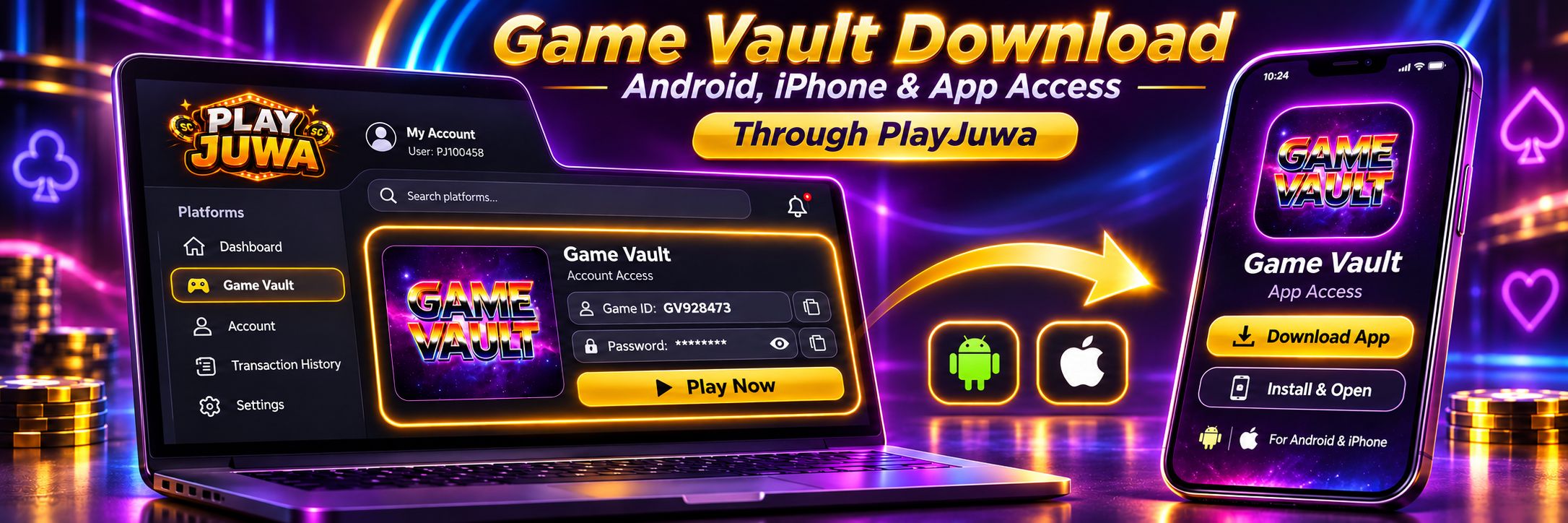
Game Vault is played in an app, not in a browser. If you play through PlayJuwa, the right download starts from the Game Vault card in your PlayJuwa account.
Select Play Now there, and it currently opens the Game Vault download page. On Android, the page provides an APK file. On iPhone, Safari is used to reach the iOS install route.
Search results for “Game Vault download” can also show apps and files that only share the same or a similar name, so start from your PlayJuwa card rather than an app-store search or third-party download page.
Quick answer: Sign in to PlayJuwa, open the Game Vault card and copy your Game ID and password. Select Play Now to open the Game Vault download page, then tap Download. On Android, this currently downloads a file named GameVault.apk. On iPhone, use Safari. After installing the app, sign in with the Game ID and password shown on your PlayJuwa card. Similarly named GameVault apps in Google Play, the App Store and Microsoft Store are different products.
Is Game Vault an App or a Browser Game?
Game Vault is currently an app-based platform.
The page opened by PlayJuwa’s Play Now button provides an app download rather than a browser version of the game.
The Game Vault FAQ also currently states that Game Vault is available on iOS and Android and does not offer a web version.
If you access Game Vault through PlayJuwa, use the route opened from the Game Vault card in your account.
How to Download Game Vault Through PlayJuwa
- Sign in to PlayJuwa on the phone you want to use.
- Open Platforms and type “vault” in the search box.
- Open the Game Vault card.
- Copy the Game ID and Password shown on the card. You’ll need them after installing the app.
- Select Play Now. This currently opens download.gamevault999.com.
- Tap Download.
- Follow the installation steps shown for your device.
- Open the Game Vault app and sign in using the Game ID and password from your card.
For help with credentials, password resets or sign-in errors, see the Game Vault login guide.
What Does the Game Vault Download Button Do on Each Device?
The current Game Vault download page has one Download button. What happens next depends on the device and browser you use.
| Device | Current behavior |
| Android phone or tablet | Downloads an app file named GameVault.apk from an apk.galaxyworld999.com address |
| iPhone or iPad in Safari | Opens a separate iOS installation link |
| iPhone or iPad in Chrome or another browser | Shows a message asking you to use Safari |
| Windows or Mac computer | Downloads the Android file, which does not run natively on Windows or macOS |
The current download page does not display a public version number or publisher name.
How to Download Game Vault on Android
If you use Game Vault through PlayJuwa, start from the Game Vault card rather than searching for an APK.
Step 1: Open the Game Vault Card
Sign in to PlayJuwa and open Platforms.
Find the Game Vault card and select Play Now.
Step 2: Download the APK
On the Game Vault download page, tap Download.
The current Android route downloads a file named:
GameVault.apk
Step 3: Review Android’s Security Prompts
Because the APK is installed outside Google Play, Android may ask whether your browser is allowed to install apps from that source.
Read any security warning before continuing.
Keep Google Play Protect enabled. Play Protect can scan sideloaded applications, but the APK does not come through the normal Google Play listing and distribution process.
Step 4: Review App Permissions
Before completing the installation, review any permissions the app requests.
If Android displays a security warning you don’t understand, stop rather than disabling protection to force the installation.
Step 5: Open Game Vault and Sign In
After installation, open the app and use the Game ID and password from your PlayJuwa Game Vault card.
Do not use your PlayJuwa email address and password inside Game Vault.
Step 6: Restore Your Android Install Settings
If you temporarily allowed your browser to install apps from external sources, you can turn that permission back off in Android settings after installation.
What Is the Game Vault APK?
An APK is an Android application package installed outside Google Play.
The Game Vault route currently opened through PlayJuwa provides an APK named:
GameVault.apk
Many other websites also advertise files using names such as:
- Game Vault APK
- Game Vault 999 APK
- Game Vault 777 APK
- Game Vault latest APK
A filename does not prove who created the file or whether it works with the Game Vault credentials issued through your PlayJuwa account.
If you use PlayJuwa, use the download route opened from your Game Vault card rather than an APK from a search result, message or unrelated download website.
How to Download Game Vault on iPhone
Use Safari when accessing the Game Vault download route on an iPhone or iPad.
- Open PlayJuwa in Safari.
- Sign in to your account.
- Open the Game Vault card.
- Copy your Game ID and password.
- Select Play Now.
- Tap Download on the Game Vault download page.
- Follow the iOS installation instructions shown.
- Open Game Vault and sign in using the details from your PlayJuwa card.
If the page shows:
“Please use the safari browser to download”
open the route again in Safari.
Be cautious if your iPhone asks you to install a configuration profile, trust a developer or allow device-management permissions.
Don’t approve something you don’t recognize simply to get the game working. If you’re unsure, contact PlayJuwa support first.
Can You Play Game Vault on PC or Mac?
Not through PlayJuwa’s current Game Vault route.
Game Vault’s current public documentation says the platform supports iOS and Android, not Windows or Mac.
The current download page may download the Android APK when opened on a computer, but an Android APK does not run natively on Windows or macOS.
Use a supported Android phone, Android tablet, iPhone or iPad instead.
Is Game Vault on Google Play or the App Store?
PlayJuwa does not currently link to a Game Vault app through Google Play or the Apple App Store.
Searching app stores for GameVault or Game Vault 999 can return different products that share similar names.
| Listing | What it is |
| “GameVault” on Google Play | A separate points-and-rewards gaming app |
| “Game Vault 999 Casino” on Google Play | A separate simulated casino-style app that states it offers no real-money gambling or real-world prizes |
| “GameVault” on the App Store | A separate app for organizing a video-game collection |
| “GameVault” on the Microsoft Store | A separate self-hosted game-library/client project for Windows |
These listings should not automatically be treated as connected to the Game Vault credentials issued through your PlayJuwa account.
If you use Game Vault through PlayJuwa, start with the Game Vault card.
What Is Game Vault 999?
“Game Vault 999” is a common name associated with Game Vault.
The download page currently opened through PlayJuwa uses the gamevault999.com domain.
However, many websites, APK pages and apps use similar 999 terminology.
A similar name does not prove that two websites or files distribute the same app or use the same account system.
Use the route provided through your PlayJuwa Game Vault card.
Is Game Vault 777 the Same as Game Vault 999?
Don’t assume so.
Some websites and APK pages use Game Vault 777 or similar names, but the terminology is used inconsistently across different sites.
A 777-branded app or download should not automatically be treated as compatible with the Game ID and password shown on your PlayJuwa Game Vault card.
Why Are There So Many Game Vault Download Websites?
Several different products, providers and download pages use Game Vault-style names.
Search results can include:
- Game Vault’s own pages
- APK mirror sites
- older app files
- unrelated Google Play apps
- unrelated App Store apps
- provider-specific websites
- Game Vault 777-branded pages
- Game Vault 999-branded pages
Two pages can both use the phrase “Game Vault download” while offering completely different files.
That is why PlayJuwa users should start from the Game Vault card inside their own account.
How to Check You Have the Right Game Vault Download
Before installing anything, check these points.
Start From PlayJuwa
Open Game Vault from Play Now on your PlayJuwa Game Vault card.
Check the Download Address
The current route opens:
download.gamevault999.com
Check the Android Filename
On Android, the current file is:
GameVault.apk
Avoid Extra Offers
The route should not require you to complete a survey, install an unrelated app or pay someone simply to receive the download.
Use the Correct Credentials
After installation, use the Game ID and password shown on your Game Vault card.
Never enter your PlayJuwa password into the Game Vault app.
If something doesn’t match what you expect, stop and contact PlayJuwa through live chat, email support@playjuwa.com, or the PlayJuwa Help Center.
Game Vault Download Not Working?
Different problems require different checks.
Android File Won’t Download
Go back to PlayJuwa and select Play Now on the Game Vault card again.
Check:
- your internet connection
- available device storage
- whether your browser can download files
Game Vault APK Won’t Install
Make sure the download completed successfully.
Read the exact error Android displays.
Don’t disable Play Protect or other security settings simply to bypass a warning.
Nothing Happens on iPhone
Make sure you are using Safari.
Then reopen Game Vault through Play Now on your PlayJuwa card and try the download again.
A Computer Downloaded an Android File
The current download button may return the Android file on a computer.
Use Game Vault on a supported Android or iOS device instead.
An Older Game Vault App Stopped Working
Open the current Game Vault download route through Play Now on your PlayJuwa card and follow the instructions shown there.
Avoid downloading a file labelled “latest version” from an unrelated search result.
If the download or installation still fails, contact PlayJuwa support with your device type and the exact error message.
Never send your password.
How Do You Update Game Vault?
Open the current Game Vault download route from Play Now on your Game Vault card and follow the update or installation instructions shown there.
The current page does not display a public version number.
Because of that, don’t rely on “latest version” claims made by unrelated APK websites.
How Do You Sign In After Installing Game Vault?
Open the Game Vault app and enter the Game ID and password shown on your PlayJuwa Game Vault card.
Your PlayJuwa email address and password are separate and will not open the Game Vault app.
For password resets, backend-login confusion and other sign-in problems, see the Game Vault login guide.
Does Installing Game Vault Mean You’re Eligible?
No.
Installing Game Vault does not change PlayJuwa’s eligibility requirements.
You must be at least 18, or older where applicable law requires a higher minimum age, and you must be in an eligible location.
You also cannot use a VPN, proxy or location-spoofing method to bypass geographic restrictions.
See the current PlayJuwa Terms and Conditions and Responsible Gaming guidance.
Frequently Asked Questions About Game Vault Download
How Do I Download Game Vault Through PlayJuwa?
Sign in to PlayJuwa, open the Game Vault card and select Play Now.
On the download page that opens, tap Download, install the app and sign in with the Game ID and password shown on your card.
Is There a Game Vault APK for Android?
Yes.
The current Android route opened through PlayJuwa provides a file named GameVault.apk.
Use that route rather than downloading a similarly named APK from another website.
Can I Download Game Vault on iPhone?
Yes.
Open PlayJuwa in Safari, select Play Now on the Game Vault card and tap Download to reach the current iOS installation route.
If you use another browser, the page may ask you to switch to Safari.
Can I Play Game Vault in a Browser?
Not through PlayJuwa’s current Game Vault route.
Game Vault currently requires the mobile app, and its own public FAQ states that it supports iOS and Android without a web version.
What Is Game Vault 999?
It is a common name associated with Game Vault.
The current PlayJuwa download route uses the gamevault999.com domain, but other 999-branded websites may offer different files or account systems.
Is Game Vault 777 the Same as Game Vault 999?
Don’t assume so.
Use the Game Vault app route provided through your PlayJuwa Game Vault card.
Is Game Vault on Google Play?
Not as an app currently linked by PlayJuwa.
Google Play contains other apps using GameVault and Game Vault 999-style names, but those should not automatically be treated as the same product or as compatible with your PlayJuwa Game Vault credentials.
Is Game Vault in the Apple App Store?
Not as an app currently linked by PlayJuwa.
The similarly named GameVault listing in the App Store is a separate video-game collection organizer.
What Is the Latest Game Vault Version?
The current Game Vault download page does not display a public version number.
Use the current route from Play Now on your Game Vault card instead of relying on “latest version” claims from unrelated APK websites.
Why Won’t Game Vault Install?
Possible causes include:
- an incomplete download
- insufficient storage
- using a browser other than Safari on iPhone
- trying to install the Android APK on a computer
- a device security warning
Open the route again from your PlayJuwa Game Vault card on a supported phone or tablet.
If the problem continues, contact PlayJuwa support.
Summary
Game Vault is currently an app-based platform.
If you use it through PlayJuwa, open the Game Vault card, copy your Game ID and password and select Play Now to reach the current Game Vault download page.
On Android, the route currently provides GameVault.apk. On iPhone, use Safari to reach the iOS installation route.
After installing Game Vault, sign in using the Game ID and password shown on your PlayJuwa card.
Don’t assume similarly named apps in Google Play, the App Store, Microsoft Store or third-party APK sites are connected to your PlayJuwa Game Vault credentials.
For account-access help, see the Game Vault login guide. For broader platform information, see Game Vault on PlayJuwa, available gaming systems, or the guide to fish table games.
No purchase necessary. 18+ only. Void where prohibited. Play for entertainment and within your limits. Terms and Conditions apply.