
Guides
Panda Master Download: Android, iPhone and Web Access
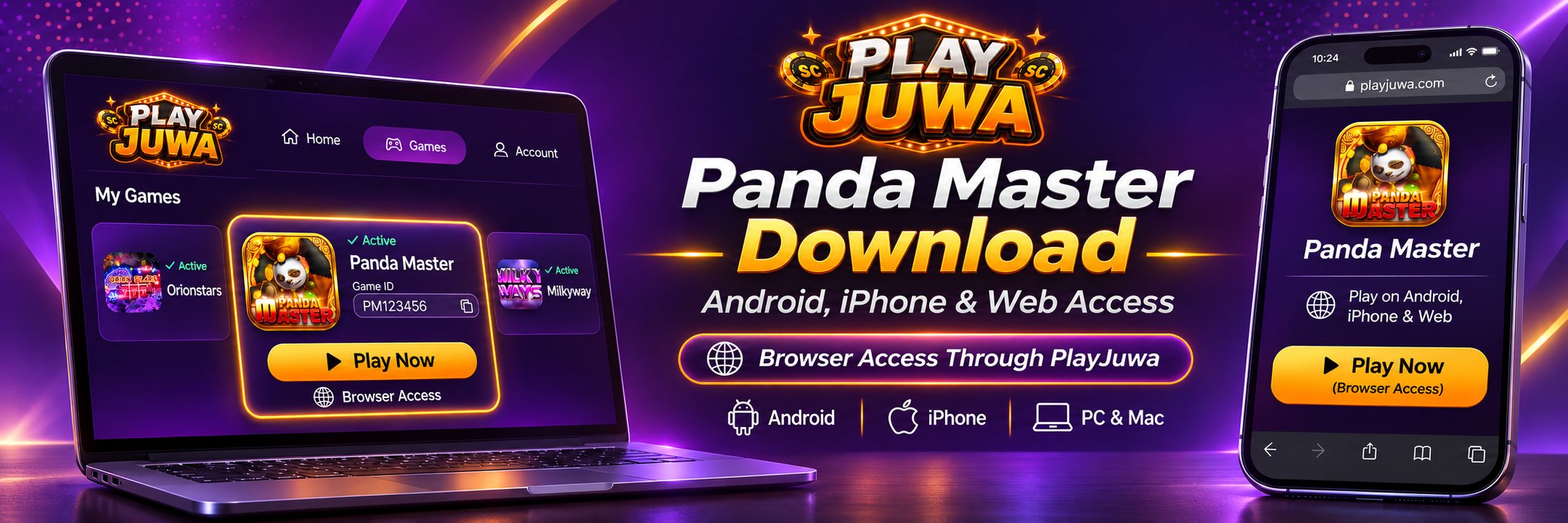
If you play Panda Master through PlayJuwa, you don’t need to download anything. Panda Master opens in your browser on Android, iPhone, tablets and computers from the Panda Master card in your PlayJuwa account.
Search results for “Panda Master download” can mix the game’s own install files with unrelated apps that share the name, so starting from PlayJuwa is the simplest way to avoid opening the wrong file or app.
Quick answer: On PlayJuwa, Panda Master is played in a browser. Sign in to PlayJuwa, open the Panda Master card and select Play Now. On the Panda Master page that opens, select Play Now again, then sign in with the Game ID and password from your card. PlayJuwa doesn’t publish a Panda Master app, and similarly named apps on Google Play are different products.
What Is Panda Master?
Panda Master is a fish-shooting and slot game system. On PlayJuwa, it appears as a platform card named Panda Master.
It isn’t the same as Ultra Panda, another PlayJuwa game system with a similar name.
It also isn’t Panda Master: Legend of Stick, an unrelated action game currently listed on Google Play.
For broader information about the platform itself, see Panda Master on PlayJuwa.
Do You Need to Download Panda Master on PlayJuwa?
No.
PlayJuwa’s Panda Master route works in your browser:
- Sign in to PlayJuwa.
- Open Platforms and type “panda” in the search box.
- Open the Panda Master card and copy your Game ID and password.
- Select Play Now. This currently opens the Panda Master page at pandamaster.vip.
- The current page shows Android, Play Now, iOS_1 and iOS_2.
- Select Play Now to open the browser version.
- On the Welcome screen, enter your Game ID as the Account and your password, then select Login.
If you need help with credentials or sign-in problems, use the separate Panda Master login guide.
What Are the Android and iOS Buttons on the Panda Master Page?
The Panda Master page currently provides several access options:
| Button | What it currently does |
| Play Now | Opens the browser version of Panda Master. This is the route to use with PlayJuwa |
| Android | On Android devices, downloads a file named PandaMaster.apk from a dragon-plus.com address |
| iOS_1 and iOS_2 | Lead to iPhone download pages on pandamaster.vip and dragon-plus.com |
PlayJuwa doesn’t publish these app files, and you don’t need them to use the PlayJuwa browser route.
The browser route lets you access Panda Master without installing an app.
Panda Master Download for Android
You don’t need to download Panda Master to use it through PlayJuwa.
Open Panda Master in Chrome or another browser on your Android phone through the Panda Master card.
If you’re considering installing a Panda Master APK anyway, keep these points in mind:
- An APK is an Android app file installed outside Google Play.
- Google Play Protect can still scan sideloaded apps, but the file does not come through the normal Google Play listing and distribution process.
- Many APK sites list apps called “Panda Master” or “Panda Master Casino.” The name alone doesn’t establish who published the file or whether it relates to your PlayJuwa credentials.
- Don’t disable Google Play Protect or ignore Android security warnings just to install a game.
- Don’t install APK files sent through unsolicited messages or social-media links.
If you use Panda Master through PlayJuwa, browser access avoids the need to install an APK.
How to Access Panda Master on iPhone
Use Safari or another browser.
An iPhone cannot install an Android APK file, and you don’t need an iPhone app to use Panda Master through PlayJuwa.
To make PlayJuwa easier to open:
- Open PlayJuwa in Safari.
- Tap Share.
- Select Add to Home Screen.
This creates a shortcut to the website rather than installing the Panda Master game itself.
When you want to access Panda Master, opening it from your PlayJuwa card helps ensure you use the current Play Now route.
Be cautious with pages that ask you to install configuration profiles or trust an unknown developer in iPhone settings. Those steps are not required for the PlayJuwa browser route.
Can You Play Panda Master on PC or Mac?
Yes.
The browser version can be accessed on Windows and Mac computers through a current web browser.
Sign in to PlayJuwa, open the Panda Master card and follow the same Play Now steps.
There is no Panda Master PC download you need to install for the PlayJuwa browser route.
Is Panda Master on Google Play or the App Store?
Not as a PlayJuwa app.
PlayJuwa doesn’t publish a Panda Master app on Google Play or the Apple App Store.
Searching app stores and APK websites for “Panda Master” can bring up unrelated or older apps using the same name.
| What you may find | What it is |
| Panda Master: Legend of Stick | An unrelated action game on Google Play, not the PlayJuwa Panda Master fish/slot system |
| Older “Panda Master” APK listings | Older casino-style app listings that may still appear on APK download websites |
Don’t assume any app-store or APK listing is connected to the Panda Master details issued through your PlayJuwa account.
What Is Panda Master 777?
“Panda Master 777” is a common name used when people search for Panda Master.
Many download pages also use the 777 wording.
A website or file containing “Panda Master 777” does not by itself prove that it comes from the same provider or login system as your PlayJuwa Panda Master account.
If you use PlayJuwa, look for the card named Panda Master and open the game from there.
What Is pandamaster.vip?
pandamaster.vip is the Panda Master page that PlayJuwa’s Play Now currently opens.
From that page, selecting Play Now opens the browser sign-in screen.
If you use Panda Master through PlayJuwa, reach this route from your Panda Master card rather than relying on search results, bookmarks or links sent by someone else.
Why Are There So Many Panda Master Download Pages?
The Panda Master name is used across several websites, app listings and provider pages.
Search results can include:
- Panda Master game pages
- APK mirror websites
- Older app listings
- Unrelated apps with “Panda Master” in the name
- Websites operated by other providers or distributors
Two pages can both use the phrase “Panda Master download” while offering different files or account systems.
That’s why PlayJuwa users should start from the Panda Master card inside their own account.
How to Check You’re Using the Right Panda Master
Before entering your credentials, check the following:
- Where you started: You opened Panda Master from the Panda Master card inside PlayJuwa.
- The game: The card says Panda Master, not UltraPanda.
- The address: The first page is currently pandamaster.vip, reached through Play Now.
- The credentials: You’re using the Game ID and password shown on the Panda Master card.
- Your PlayJuwa password: You are not entering your PlayJuwa email/password on the Panda Master game login.
- No pressure: Nobody is asking you to buy login details, disable device security or share your password.
Panda Master Not Opening?
If Panda Master won’t load in your browser, try these checks.
Reopen Panda Master From PlayJuwa
Go back to PlayJuwa and select Play Now on the Panda Master card again rather than using an old bookmark.
Select the Browser Play Now Button
On the Panda Master page, choose Play Now rather than Android or one of the iOS options.
Check Your Connection
Try reloading the page or switching between Wi-Fi and mobile data.
Try Another Browser
If the page still doesn’t load, try another current browser.
If selecting the Android button downloaded a file instead of opening the game, that is the current behavior of the Android option. Go back to the Panda Master page and select Play Now for browser access.
If Panda Master still won’t open, contact PlayJuwa through live chat, email support@playjuwa.com, or use the PlayJuwa Help Center.
How Do You Update Panda Master?
With the PlayJuwa browser route, there is no Panda Master app update for you to install manually.
Open the current Play Now route from your Panda Master card.
Don’t install a “latest version” APK or app file from an unknown search result, advertisement or pop-up.
Does Opening Panda Master Mean You’re Eligible?
No.
A Panda Master page loading in your browser does not change PlayJuwa’s eligibility requirements.
You must be at least 18, or older where applicable law requires a higher minimum age, and you must be in an eligible location.
You also cannot use a VPN, proxy or location-spoofing method to bypass geographic restrictions.
Check the current PlayJuwa Terms and Conditions for eligibility and location requirements.
Frequently Asked Questions About Panda Master Download
How Do I Download Panda Master Through PlayJuwa?
You don’t need to download it.
Sign in to PlayJuwa, open the Panda Master card, select Play Now, then select Play Now again on the Panda Master page to use the browser version.
Is There a Panda Master APK for Android?
The current Panda Master page has an Android button that downloads an APK from a dragon-plus.com address.
PlayJuwa doesn’t publish that file, and you don’t need it to use Panda Master through the PlayJuwa browser route.
Can I Use Panda Master on iPhone?
Yes.
Use Safari or another browser. You don’t need an app or configuration profile to access Panda Master through the PlayJuwa browser route.
What Is Panda Master 777?
It is a common name people use when searching for Panda Master.
Many download pages use the same wording, so the name alone does not prove that a download or login page is connected to your PlayJuwa credentials.
What Is pandamaster.vip?
It is the Panda Master page that PlayJuwa’s Play Now currently opens.
Select Play Now there to reach the browser sign-in screen.
Can I Play Panda Master Without Downloading?
Yes.
Through PlayJuwa, Panda Master can be accessed in a browser on phones, tablets and computers.
Is Panda Master on Google Play?
Not as a PlayJuwa app.
The current Panda Master: Legend of Stick listing on Google Play is an unrelated action game.
Is Panda Master in the Apple App Store?
PlayJuwa doesn’t publish a Panda Master app there.
PlayJuwa users can access Panda Master through the browser route.
Why Won’t Panda Master Open?
You may have selected Android or an iOS option instead of Play Now, or you may be using an old link.
Open Panda Master again from your PlayJuwa card and select the browser Play Now option.
Summary
You don’t need a Panda Master download to use Panda Master through PlayJuwa.
Sign in to PlayJuwa, open the Panda Master card and select Play Now, then choose Play Now again on the Panda Master page to use the browser version on Android, iPhone, tablets or computers.
The Android and iOS buttons currently shown on the Panda Master page are separate installation options that PlayJuwa does not publish. Similarly named apps and APK listings found elsewhere should not automatically be treated as connected to your PlayJuwa Panda Master credentials.
For account and password help, see the Panda Master login guide. For broader platform information, see Panda Master on PlayJuwa or the guide to fish table games.
No purchase necessary. 18+ only. Void where prohibited. Play for entertainment and within your limits. Terms and Conditions apply.