

Guides
Fire Kirin Online Without Download: How to Play on Web
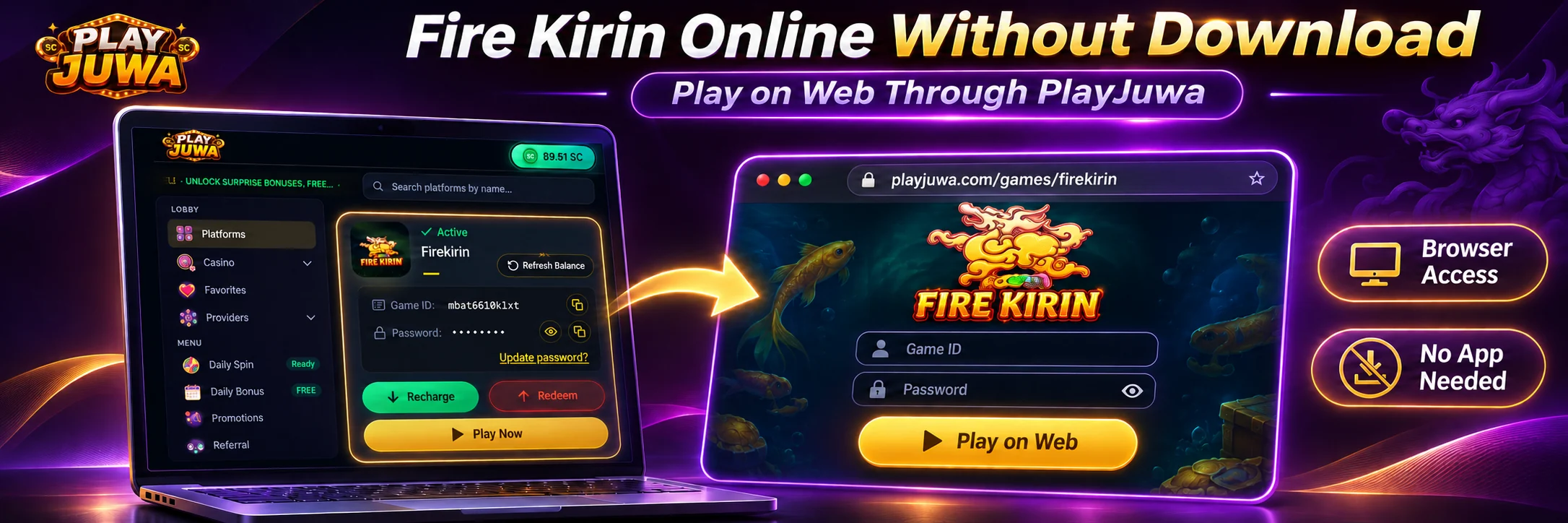
You can play Fire Kirin online through PlayJuwa without downloading an app. The Fire Kirin page that opens from your PlayJuwa account currently offers a Play on Web option that runs in your browser, alongside app options for Android and iPhone.
Start from the Firekirin card in your account, select Play Now, and choose Play on Web.
Quick answer: To play Fire Kirin online without a download, sign in to PlayJuwa, open the Firekirin card and copy your Game ID and password. Select Play Now to open the Fire Kirin page in a new tab, then choose Play on Web instead of the Android or iPhone option. Sign in with the Game ID and password from your card.
How to Play Fire Kirin Online Through PlayJuwa
- Sign in to PlayJuwa.
- Open Platforms and type “kirin” in the search box.
- Open the Firekirin card.
- Copy the Game ID and Password shown on the card.
- Select Play Now. Fire Kirin currently opens in a new tab on a firekirin.xyz web address.
- On the Fire Kirin page, choose Play on Web. The Android and iPhone options are for installing an app.
- When the sign-in screen appears, enter the Game ID and password from your card.
Options on the Fire Kirin page can change. If Play on Web is not shown, see the troubleshooting section below rather than using an unrelated Fire Kirin website.
For help specifically with your Game ID, password or sign-in problems, see the Fire Kirin login guide.
Do You Need to Download Fire Kirin?
No, not if Play on Web is available.
The Android and iPhone options shown on the Fire Kirin page are for users who prefer an installed app. With Play on Web, you can access Fire Kirin online without installing an APK or downloading an app through an app store.
What Is the Fire Kirin Web Version?
The Fire Kirin web version runs in a browser tab instead of as an installed application.
You may also see browser access described online as:
- Fire Kirin online
- Fire Kirin web play
- Fire Kirin browser version
- Fire Kirin H5
On the current Fire Kirin route opened through PlayJuwa, the browser option is labeled Play on Web.
What Does Fire Kirin H5 Mean?
H5 is commonly used as shorthand for HTML5-style browser access.
Some websites and Fire Kirin-related URLs use terms such as Fire Kirin H5 or HTML5 when referring to browser-based play.
In this context, H5 refers to browser-based access rather than a separate PlayJuwa platform.
If you use Fire Kirin through PlayJuwa, look for Play on Web on the page opened from your Firekirin card.
Fire Kirin Browser vs App: Which Should You Use?
Neither option is automatically better. The right choice depends on how you prefer to access Fire Kirin.
| Feature | Play on Web | Android or iPhone app |
| Installation | None | Required |
| Device storage | No separate app installation | Uses storage for the app |
| Updates | No separate app to update | App updates may be required |
| Where to start | Play Now on your Firekirin card | Play Now on your Firekirin card |
Speed, layout and available features can differ between browser and app access.
If Play on Web works well on your device, you may not need to install the app.
Can You Play Fire Kirin Online on PC or Mac?
Fire Kirin’s Play on Web option is browser-based.
If the web version is available and loads correctly on your computer, you can use it without installing an Android APK or emulator.
Device and browser compatibility can vary, so start from Play Now on your PlayJuwa Firekirin card and use a current browser.
Can You Play Fire Kirin in a Mobile Browser?
Yes.
Sign in to PlayJuwa through your phone’s browser, open the Firekirin card, select Play Now, and choose Play on Web.
How smoothly the page runs can depend on your:
- phone
- browser
- internet connection
- current Fire Kirin web interface
If the layout feels cramped, try rotating your phone and see which orientation works better.
Fire Kirin Web Login: Which Details Do You Use?
Use the Game ID and Password shown on your Firekirin card.
Do not use your PlayJuwa email address or PlayJuwa password on the Fire Kirin sign-in screen.
These are separate credential sets.
If you have trouble signing in, see the dedicated Fire Kirin login guide.
What Does “Slide Up to Jump Screen” Mean?
Some Fire Kirin web routes can show a message such as “Slide up to jump screen” on mobile.
This is generally a swipe prompt used during the transition into the game.
If you see it on the route opened from your PlayJuwa card, follow the on-screen instruction.
If it does not respond, reopen Fire Kirin through Play Now rather than switching to another website.
Why Won’t Fire Kirin Open in My Browser?
Try these checks in order.
Reopen Fire Kirin From PlayJuwa
Go back to PlayJuwa and select Play Now on the Firekirin card again instead of using a bookmark or previously saved URL.
Check New-Tab Blocking
Play Now currently opens Fire Kirin in a new tab.
Make sure your browser is not blocking new tabs or pop-ups from PlayJuwa.
Check Your Internet Connection
Try switching between Wi-Fi and mobile data if available.
Close Duplicate Fire Kirin Tabs
Close extra Fire Kirin tabs and reload the current page once.
Update or Change Your Browser
Use an up-to-date browser.
If the page does not work correctly in one browser, try another.
Check Browser Extensions
Ad blockers, script blockers or privacy extensions can sometimes interfere with web applications.
If necessary, test the page without the extension.
Clear Stored Site Data
Clearing the site’s stored data may resolve a browser-specific problem.
This can sign you out, so make sure you have your Game ID and password available first.
If Fire Kirin works in one browser but not another, the issue may be browser-specific.
What If the Fire Kirin Web Page Won’t Load at All?
A blank page, endless loading screen or “site can’t be reached” message is different from a sign-in screen rejecting your credentials.
If the page itself is not loading:
- Return to PlayJuwa.
- Open the Firekirin card.
- Select Play Now again.
- Wait briefly and retry if necessary.
- Avoid using an old bookmark because the destination address can change.
If the problem continues, contact PlayJuwa through live chat, email support@playjuwa.com, or use the PlayJuwa Help Center.
Do not search for a different Fire Kirin login or H5 website simply to bypass the problem.
What If You Only See Download Options?
The Fire Kirin page can display more than one access option.
If an app download starts or an app-store page opens, you may have selected the Android or iPhone option.
Return to the Fire Kirin page and look for Play on Web.
If Play on Web is not currently displayed, do not download a Fire Kirin file from another website as a substitute.
Contact PlayJuwa support and check the route again later.
Can You Add Fire Kirin to Your Home Screen?
You can add PlayJuwa to your phone’s home screen for quicker access.
On iPhone
Open PlayJuwa in Safari, select Share, then choose Add to Home Screen.
On Android
Open PlayJuwa in Chrome, open the browser menu and choose Add to Home screen.
This creates a shortcut to PlayJuwa. It does not install a Fire Kirin app.
Opening Fire Kirin from the Firekirin card each time also helps ensure that you use the current Play Now route.
Is Playing Fire Kirin Online in a Browser Safe?
Browser access is only as trustworthy as the page where you enter your credentials.
Before signing in:
- Start from your PlayJuwa account rather than a search result, advertisement or forwarded link.
- Open Fire Kirin through Play Now on your Firekirin card.
- Do not assume “official,” “H5,” “777,” or a similar term in a domain proves who operates the page.
- Never share your Game ID, password or one-time codes.
- Do not install software simply because a pop-up asks you to.
- Ignore “free credit generator” pages.
- Ignore anyone claiming to guarantee wins or account access.
If you entered your credentials on a suspicious page, use the account-security options available through your PlayJuwa Firekirin card and contact PlayJuwa support.
Is Fire Kirin Online Free?
No download describes how Fire Kirin opens. It does not define how coins, promotions or purchases work.
Using Play on Web does not change PlayJuwa’s coin or promotion rules.
No purchase is necessary to participate in PlayJuwa sweepstakes.
For that separate intent, see the Fire Kirin free play guide.
Does Browser Access Mean You’re Eligible?
No.
Opening Fire Kirin in a browser does not change PlayJuwa’s eligibility requirements.
You must be at least 18, or older where applicable law requires a higher minimum age, and you must be in an eligible location.
You also cannot use a VPN, proxy or location-spoofing method to bypass geographic restrictions.
See the current PlayJuwa Terms and Conditions.
Frequently Asked Questions About Fire Kirin Online
Can I Play Fire Kirin Online Without Downloading an App?
Yes.
The Fire Kirin page currently opened from the PlayJuwa Firekirin card includes a Play on Web option that runs in a browser.
How Do I Play Fire Kirin Online in My Browser?
Sign in to PlayJuwa, open the Firekirin card, select Play Now, and choose Play on Web.
Then sign in with the Game ID and password shown on your card.
Is There a Fire Kirin Web Version?
Yes.
On the current Fire Kirin page opened through PlayJuwa, browser access is provided through Play on Web.
Can I Play Fire Kirin Online on PC?
Play on Web is browser-based.
If it loads correctly on your computer, you can use it without an Android APK or emulator.
Compatibility can vary depending on the device and browser.
Can I Play Fire Kirin in Chrome or Safari?
Use an up-to-date browser such as Chrome or Safari.
If the page does not work correctly in one browser, try another.
What Is Fire Kirin H5?
H5 is commonly used as shorthand for HTML5-style browser access.
In this context, it refers to browser-based Fire Kirin access rather than a separate PlayJuwa platform.
On PlayJuwa’s current route, the browser option is called Play on Web.
Do I Need an APK to Play Fire Kirin?
No, not if Play on Web is available.
An APK is relevant to installed Android-app access rather than the browser option.
Is Fire Kirin Web Play the Same as the App?
Do not assume they are identical.
Layout, speed, controls or available features can differ between browser and app access.
What Does “Slide Up to Jump Screen” Mean on Fire Kirin?
Some Fire Kirin web routes use wording such as “Slide up to jump screen” for a swipe prompt during loading or transition into the game.
If it appears on the route opened through PlayJuwa, follow the on-screen instruction.
If it does not respond, reopen Fire Kirin from Play Now.
Why Won’t Fire Kirin Open in My Browser?
Possible causes include:
- an old bookmark
- blocked new tabs
- a weak internet connection
- browser extensions
- stored site data
- a temporary page-loading problem
Open Fire Kirin again through Play Now on your card and select Play on Web.
Which Login Do I Use for Fire Kirin Web Play?
Use the Game ID and password shown on the Firekirin card in your PlayJuwa account.
For credential and sign-in troubleshooting, see the Fire Kirin login guide.
Summary
You can currently play Fire Kirin online through PlayJuwa without downloading an app.
Sign in to PlayJuwa, open the Firekirin card, select Play Now, and choose Play on Web. Then sign in using the Game ID and password shown on your card.
If the browser page does not load, reopen Fire Kirin from your card instead of searching for another Fire Kirin address.
For broader information, see Fire Kirin on PlayJuwa, learn what Fire Kirin is, explore the Fire Kirin games guide, or read the Fire Kirin login guide.
No purchase necessary. 18+ only. Void where prohibited. Play for entertainment and within your limits. Terms and Conditions apply.