
Guides
Orion Stars Customer Service: Who to Contact for Help
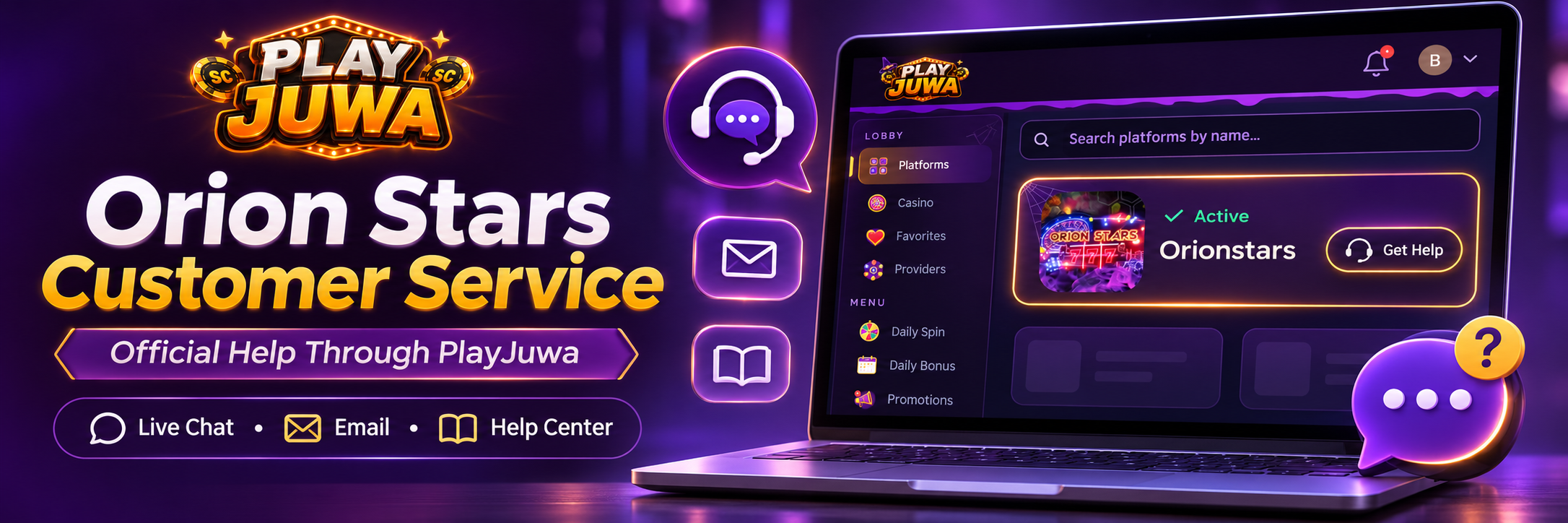
There’s no single Orion Stars customer service desk for every player. Orion Stars is a sweepstakes gaming system that players use through different providers, so the right place to get help depends on where your account came from.
If your Orion Stars access comes through PlayJuwa, start with PlayJuwa support. If your account came from another provider, contact that provider about its account or transaction records.
Quick answer: If you use Orion Stars through PlayJuwa, contact PlayJuwa support for any problem with your Game ID, password, Play Now, balance or PlayJuwa account. Use live chat on PlayJuwa, email support@playjuwa.com, or visit the PlayJuwa Help Center. Phone numbers, social media pages and “Orion Stars support” websites in search results may belong to someone else and shouldn’t be assumed to have access to your PlayJuwa account.
Who to Contact for Each Orion Stars Problem
| Problem | Where to start |
| Can’t sign in to PlayJuwa | Forgot-password option on the PlayJuwa login page, then PlayJuwa support |
| Orion Stars password not working | Reset password? on the Orionstars card, then PlayJuwa support |
| Game ID not showing on the card | PlayJuwa support |
| Play Now won’t open Orion Stars | Quick browser checks, then PlayJuwa support |
| Balance looks wrong | Refresh Balance on the card, then PlayJuwa support |
| Recharge or Redeem question | PlayJuwa support |
| Redeem request taking longer than expected | PlayJuwa support |
| PlayJuwa account restricted or suspended | PlayJuwa support |
| Orion Stars account from another site or agent | That site or agent |
| Payment you made to someone else | Whoever took the payment |
Who Handles Orion Stars Customer Service?
Start with the provider that manages your account.
Orion Stars accounts are available through different operators and agents, and each provider may use its own credentials, records and support process. Don’t assume a support team from another provider has access to your account or transaction records.
For PlayJuwa players:
- Your Orion Stars access comes through your PlayJuwa account.
- Your Orion Stars Game ID and password appear on the Orionstars card in that account.
- PlayJuwa is the team to contact about that access.
PlayJuwa provides access to Orion Stars. It doesn’t own or develop the game system.
For general information about the platform itself, see the Orionstars page on PlayJuwa.
How to Contact PlayJuwa for Orion Stars Help
For PlayJuwa support, use the official channels on the PlayJuwa Contact page:
- Live chat: Select Open live chat on the Contact page, or use the chat button while you’re signed in.
- Email: support@playjuwa.com
- Help Center: PlayJuwa Help Center
- FAQ: PlayJuwa FAQ
Say that your question is about Orion Stars and describe the problem in a sentence or two.
Send each request through one channel and wait for a reply rather than repeating the same request across several channels.
Only use contact details published by PlayJuwa. Support details on other websites may belong to a different Orion Stars provider.
Fixing Common Orion Stars Account Problems
Orion Stars Login or Password Problem
Your PlayJuwa login and your Orion Stars login are separate.
PlayJuwa uses your email or phone number and PlayJuwa password. Orion Stars uses the Game ID and password shown on the Orionstars card.
If Orion Stars won’t accept your details:
- Copy the Game ID and password from the card using the copy buttons so nothing is mistyped.
- If you’ve forgotten or changed the password, use Reset password? on the card.
- Open Orion Stars with Play Now on the card instead of using an old bookmark.
If you still can’t get in, contact PlayJuwa support.
For the full walkthrough, see the Orion Stars login guide.
What If Your Orion Stars Game ID Is Missing?
Make sure you’re signed in to the right PlayJuwa account, especially if you’ve used more than one email address.
Then type “orion” in the platform search box to find the Orionstars card.
If the card still doesn’t show a Game ID, contact PlayJuwa support and say that the Game ID isn’t showing.
Don’t use a Game ID someone else gives you, buy login details, or create an account somewhere else to get around the problem.
What If Orion Stars Won’t Open?
Try these steps in order:
- Sign in to PlayJuwa and select Play Now on the Orionstars card. It currently opens Orion Stars in your browser at start.orionstars.vip.
- Check your connection. Switch between Wi-Fi and mobile data.
- Reload the page once, or try another browser.
- Don’t use an old link or one someone sent you, since it may no longer work.
If it still won’t load, contact PlayJuwa support. Mention your device, browser and what you see on the screen.
Who Handles Orion Stars Balance Questions?
For Orion Stars access through PlayJuwa, start on the Orionstars card:
- Select Refresh Balance to update what the card shows.
- If the card says your Orion Stars password has changed, update the password where prompted so the balance can refresh.
If the balance still looks wrong, or you have a question about a Recharge or Redeem, contact PlayJuwa support.
Include the approximate date and time and what you expected to see.
PlayJuwa support handles activity on PlayJuwa. If you paid an agent or another website, contact that provider about its transaction record.
For how redemption works on PlayJuwa, see How to Redeem Rewards on PlayJuwa.
What If a Redeem Is Delayed or Your Account Is Restricted?
Contact PlayJuwa support.
These are PlayJuwa account matters, so don’t expect an Orion Stars contact found through search to be able to review them.
PlayJuwa’s Sweepstakes Rules explain that a redemption can be delayed, restricted or declined if required information is missing or can’t be verified, eligibility requirements aren’t met, the rules are broken, or fraud is suspected.
Processing times vary, and no specific time is guaranteed.
PlayJuwa’s Terms and Conditions also explain when an account can be restricted, suspended or closed and direct users to PlayJuwa Support for account-restriction help.
When you contact support, give the date of the request or the message you saw. Send any requested documents only through official PlayJuwa support channels.
Is There an Orion Stars Customer Service Phone Number?
There’s no verified phone number that covers every Orion Stars account.
PlayJuwa doesn’t publish a customer service phone number on its Contact or Help pages.
PlayJuwa players should use the official online support channels instead:
- Live chat
- Help Center
Be careful with phone numbers found through search results.
Hang up on anyone who asks for your password, verification code, or payment to “fix” an account.
Is There an Orion Stars Customer Service Email?
There isn’t one email address that covers every Orion Stars account.
Some complaint and review sites list Gmail or other addresses under the Orion Stars name, but that doesn’t establish that those addresses are connected to your account.
If you use Orion Stars through PlayJuwa, email:
support@playjuwa.com
That is the support address published by PlayJuwa.
Don’t include your password or verification codes in an email.
Does Orion Stars Have Live Chat?
There’s no single Orion Stars live chat for all players because support depends on your provider.
PlayJuwa has its own live chat. Open it through the official Contact page or use the chat button while you’re signed in.
If you’re unsure whether a chat window really belongs to PlayJuwa, open PlayJuwa yourself and start live chat there rather than using a link someone sent you.
What About Orion Stars Support on Facebook or Telegram?
Be careful. Fake support accounts and impersonators can appear on social media.
A profile using the Orion Stars or PlayJuwa name and logo doesn’t prove it’s connected to your account.
PlayJuwa currently shows players a notice that it can’t reply on Facebook and asks them to use website live chat instead.
Never send anyone on Facebook, Telegram or WhatsApp:
- Your password or Game ID
- One-time verification codes
- Photos of your payment card
- Payments for “account fixes,” “unlocks” or free credits
The Federal Trade Commission’s prize and sweepstakes scam guidance also recommends independently finding the real company’s contact information rather than relying on contact details supplied by someone who approached you.
What Information Should You Send PlayJuwa Support?
A clear message gets a faster answer.
Include:
- The email address or phone number on your PlayJuwa account
- That the problem is with Orion Stars
- What happened and roughly when it started
- Your device and browser, for example an iPhone with Safari
- What you’ve already tried, such as Reset password? or another browser
- The exact error message, or a screenshot with private details hidden
Don’t send your password or verification codes.
Before sharing a screenshot of the Orionstars card, cover the Game ID, password and anything else you don’t need to show.
Can PlayJuwa Help With an Orion Stars Account From Somewhere Else?
Usually not.
PlayJuwa can help with the Orion Stars access that appears in your PlayJuwa account.
If your Orion Stars account came from another website or agent, contact that provider about its login details, balance and account history.
That means:
- Don’t assume PlayJuwa support can access login details issued by another Orion Stars provider.
- Details from another provider may not work through PlayJuwa, and PlayJuwa’s details may not work with that provider.
How to Tell Which Provider Manages Your Orion Stars Account
Ask yourself:
- Where are your Game ID and password shown? If they’re on the Orionstars card in your PlayJuwa account, your access is through PlayJuwa.
- Who gave you the login details? Check old emails or messages from whoever sent them.
- Where did you add coins or make the payment? Contact that provider about the transaction record.
- Which site do you normally use to open the game? The place you normally start from can help identify the provider associated with your access.
If you’re still not sure, sign in to PlayJuwa first. If the Orionstars card shows your Game ID, PlayJuwa can help with that access.
Frequently Asked Questions About Orion Stars Customer Service
How do I contact Orion Stars customer service?
Contact the provider that gave you access.
If you use Orion Stars through PlayJuwa, use live chat on PlayJuwa, email support@playjuwa.com, or visit the Help Center.
Is there an Orion Stars customer service phone number?
There’s no verified number for all Orion Stars accounts, and PlayJuwa doesn’t list a phone line.
PlayJuwa players should use live chat or email.
What is the Orion Stars customer service email?
There isn’t one email address for all Orion Stars accounts.
For access through PlayJuwa, email support@playjuwa.com.
Is Orion Stars customer service available 24/7?
There’s no universal Orion Stars support line.
PlayJuwa players can open live chat on PlayJuwa or email support@playjuwa.com. Reply times can vary.
Who can reset my Orion Stars password?
For PlayJuwa access, use Reset password? on the Orionstars card.
If that doesn’t work, contact PlayJuwa support.
Where do I find my Orion Stars Game ID?
On the Orionstars card in your PlayJuwa account.
If it isn’t there, check that you’re signed in to the right account, then contact PlayJuwa support.
What should I do if Orion Stars won’t open?
Select Play Now on the Orionstars card, check your connection and try another browser.
If it still won’t load, contact PlayJuwa with your device and browser details.
Why is my Orion Stars Redeem taking so long?
On PlayJuwa, processing times vary and can depend on verification.
If a Redeem is taking longer than expected, contact PlayJuwa support with the date of your request.
How do I register for Orion Stars?
On PlayJuwa, create or sign in to your PlayJuwa account and open the Orionstars card under Platforms.
Your Orion Stars Game ID and password are shown on that card when access is available. Other providers may use different account-creation steps.
Can PlayJuwa help with an Orion Stars account from another provider?
PlayJuwa helps with Orion Stars access that comes through PlayJuwa.
For an account created elsewhere, contact the provider that issued it.
Does Orion Stars have live chat?
Support depends on your provider.
PlayJuwa offers its own live chat through its website.
Should I contact an Orion Stars agent on Facebook?
Not for access through PlayJuwa.
PlayJuwa currently asks players to use website live chat instead of Facebook, and you should never send passwords or verification codes to a social media account.
Final Takeaway
Orion Stars support depends on who manages your account.
If your Game ID and password are on the Orionstars card in PlayJuwa, contact PlayJuwa through live chat, support@playjuwa.com, or the Help Center.
Use Reset password? and Refresh Balance on the Orionstars card for quick fixes, and see the Orion Stars login guide for detailed sign-in help.
Skip phone numbers and social media “support” found through unrelated search results.
For broader information about the game system, visit Orionstars on PlayJuwa.
No purchase necessary. 18+ only. Void where prohibited. Play for entertainment and within your limits. Terms and Conditions apply.