

Guide
Dragon Fury Login: Username, Password & Account Access
·
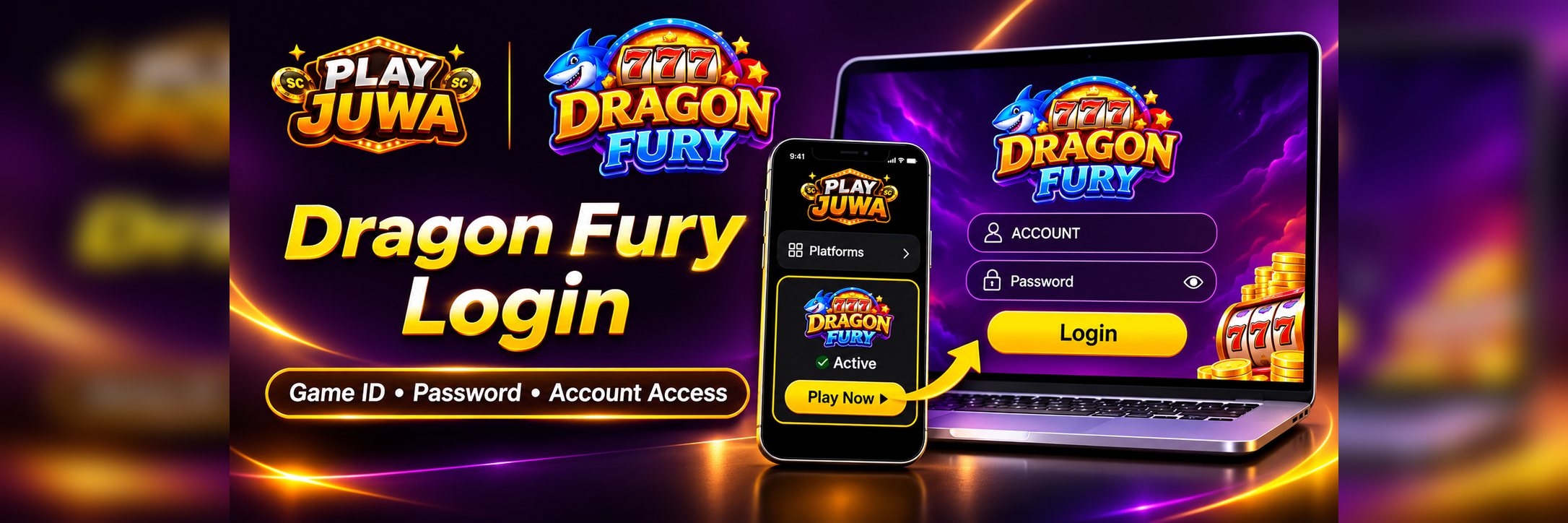
A search for “Dragon Fury login” can bring up player screens, distributor and admin panels, old VBlink guides, and unrelated games that share the Dragon Fury name. If you access Dragon Fury through PlayJuwa, the safest place to start is your PlayJuwa account.
Your Dragon Fury login details are shown on the Dragon Fury card in PlayJuwa. Use the Game ID and password from that card rather than your PlayJuwa email and password.
Quick answer: Sign in to PlayJuwa, open the Dragon Fury card, and copy the Game ID and password. Select Play Now, which currently opens the Dragon Fury game page in a new tab. Enter your Game ID in the ACCOUNT field and your password in the Password field, then select Login.
PlayJuwa Login vs Dragon Fury Login
Your PlayJuwa account and Dragon Fury game account are separate login layers.
| Login | What it opens | Details you use |
| PlayJuwa | Your PlayJuwa account, wallet, and platform cards | Your email or phone number and PlayJuwa password |
| Dragon Fury | The Dragon Fury game lobby | The Game ID and password shown on your Dragon Fury card |
Signing in to PlayJuwa does not automatically sign you in to Dragon Fury.
A common login problem is entering your PlayJuwa email or password on the Dragon Fury game screen instead of using the credentials shown on the Dragon Fury card.
Where Do You Find Your Dragon Fury Game ID and Password?
Your Dragon Fury credentials are available from the Dragon Fury card in your PlayJuwa account.
- Sign in to PlayJuwa.
- Open Your Platforms.
- Search for Dragon Fury.
- Open the Dragon Fury card and confirm that its current status is Active.
- Find the Game ID and Password.
- Use the copy button next to the Game ID if available.
- Use the eye icon to reveal the password when needed.
- Copy the password carefully before opening Dragon Fury.
PlayJuwa labels the account identifier as a Game ID. On the current Dragon Fury login screen, the corresponding field is labelled ACCOUNT.
Users may also refer to this value as a username, but for a PlayJuwa account, use the Game ID displayed on the Dragon Fury card.
How to Log In to Dragon Fury Through PlayJuwa
Follow the current PlayJuwa route rather than searching for a separate login page.
- Sign in to PlayJuwa.
- Open your Dragon Fury card.
- Copy the Game ID.
- Copy or reveal the Dragon Fury password.
- Select Play Now.
- Allow the Dragon Fury page to open in a new tab.
- Enter your Game ID in the ACCOUNT field.
- Enter the password shown on your Dragon Fury card in the Password field.
- Select Login.
You can use the visibility icon in the password field to check what you entered before signing in.
If nothing opens after you select Play Now, check whether your browser blocked the new tab or pop-up. Then return to the Dragon Fury card and try again.
Copying and pasting the credentials can also reduce mistakes involving:
- extra spaces
- capitalization
- similar-looking characters such as O and 0
Is dragonfury.club the Dragon Fury Login?
The current Dragon Fury route opened through PlayJuwa uses dragonfury.club as part of the player access flow.
Because destinations can change, it is better to open Dragon Fury through Play Now on your PlayJuwa card rather than rely on a saved external link.
This does not mean dragonfury.club should be treated as a universal login page for every Dragon Fury account or provider.
If you reach a Dragon Fury-branded page through:
- a search result
- an advertisement
- a forwarded message
- an unfamiliar link
do not automatically enter your credentials.
Return to PlayJuwa and open Dragon Fury through your account.
Is Dragon Fury 777 a Separate Platform?
Not on PlayJuwa.
PlayJuwa currently shows one Dragon Fury platform card rather than separate Dragon Fury and Dragon Fury 777 accounts.
The “777” wording also appears in Dragon Fury branding and search queries, which is why people may search for terms such as “Dragon Fury 777 login.”
For PlayJuwa access, use the Dragon Fury card shown inside your account.
Dragon Fury vs Other Games Named Dragon Fury
“Dragon Fury” is not a unique name across the internet.
Search results may also show:
- casino games with similar titles
- unrelated mobile games
- slot products
- other entertainment products
These should not automatically be treated as the same Dragon Fury gaming system available through PlayJuwa.
Do not enter your PlayJuwa-issued Dragon Fury credentials into an unrelated game or app simply because it uses the same name.
Can You Use Your VBlink Login on Dragon Fury?
Do not assume that your VBlink login will work on Dragon Fury.
PlayJuwa currently lists Vblink and Dragon Fury separately.
Use the Game ID and password displayed on your Dragon Fury card when opening Dragon Fury rather than reusing credentials from Vblink.
If you have both cards in your PlayJuwa account, treat the credentials shown on each card as belonging to that specific platform unless PlayJuwa explicitly tells you otherwise.
Why Is My Dragon Fury Login Not Working?
If Dragon Fury rejects your login, check the following in order.
1. Make Sure You Are Using Dragon Fury Credentials
Use the Game ID and password shown on the Dragon Fury card.
Do not use your:
- PlayJuwa email
- PlayJuwa phone number
- PlayJuwa password
on the Dragon Fury game login unless the current interface specifically asks for them.
2. Check the Platform Card
Make sure you copied the details from Dragon Fury, not:
- Vblink
- another gaming platform
- an old screenshot
3. Copy the Details Again
Copy and paste the Game ID and password from the current Dragon Fury card.
Check for accidental spaces before or after the value.
4. Check Password Capitalization
Enter the password exactly as displayed.
5. Use the Current Play Now Route
If you opened Dragon Fury using an old bookmark or search result, close it.
Return to PlayJuwa and select Play Now on the current Dragon Fury card.
6. Close Old Dragon Fury Sessions
Close duplicate Dragon Fury tabs and then reopen the platform through PlayJuwa.
7. Check the Card Status
If the Dragon Fury card does not show Active, the problem may not be the password.
Check the current account/platform status first.
If the status is unclear, contact PlayJuwa support.
8. Try Another Current Browser
If the credentials and route are correct but the login page still does not work, test another current browser.
If the problem continues, contact PlayJuwa through:
- live chat
- support@playjuwa.com
- the PlayJuwa Help Center
Include:
- the platform name
- the exact error message
- your device
- your browser
Never send your password.
What If You Forgot Your Dragon Fury Password?
Open the Dragon Fury card in your PlayJuwa account first.
The current card shows the Dragon Fury password and provides an eye icon that can be used to reveal it.
The current Dragon Fury card also includes a Reset password? option.
If the password shown on the card still does not work, use the PlayJuwa support route.
Do not use random:
- password-reset websites
- agents found through search
- social-media recovery services
- paid “account unlock” services
Anyone asking you to send your password or pay to unlock the account should be treated cautiously.
What If Your Dragon Fury Game ID Is Missing?
If the Game ID is not visible:
- Make sure you are signed in to the correct PlayJuwa account.
- Search for Dragon Fury in the Platforms section.
- Open the correct card.
- Check the platform status.
- Reload the page.
- If needed, sign out and sign back in.
If the Game ID still does not appear, contact PlayJuwa support and explain what is currently shown on the card.
Do not create a second Dragon Fury account on another website or use another person's credentials.
Player Login vs Dragon Fury Backend or Distributor Login
Search results for Dragon Fury may include backend, administrator, or distributor panels.
Those are not alternative player login pages.
A normal PlayJuwa user should use the Dragon Fury player screen opened through Play Now on their platform card.
Do not enter your:
- PlayJuwa password
- Dragon Fury Game ID
- Dragon Fury password
into a backend or distributor page found independently through search.
If someone tells you that you need an admin or backend login to play Dragon Fury through PlayJuwa, contact PlayJuwa support before entering any account information.
Can You Log In to Dragon Fury on Mobile?
Yes. The current PlayJuwa Dragon Fury route can be opened through a mobile browser.
On your phone:
- Open PlayJuwa in your browser.
- Sign in.
- Open the Dragon Fury card.
- Select Play Now.
- Enter the Game ID and password from your card on the Dragon Fury sign-in screen.
Landscape orientation may provide a wider view of the game interface on some phones.
The current Dragon Fury sign-in screen also displays App Store and Google Play buttons. Their presence should not be interpreted as meaning that PlayJuwa itself publishes a mobile app.
PlayJuwa itself does not publish an Android app or Google Play listing.
For PlayJuwa users, browser access through the current Play Now route remains the verified access method described here.
How to Avoid the Wrong Dragon Fury Login Page
Follow these precautions:
- Start from your PlayJuwa account.
- Use Play Now on the Dragon Fury card.
- Do not assume “official” or “777” in a page or domain proves who operates it.
- Never enter your PlayJuwa password into a Dragon Fury game login.
- Do not share your Dragon Fury password.
- Do not share one-time codes.
- Blur credentials before sharing screenshots.
- Avoid saving login details on shared devices.
- Do not pay unknown individuals for account credentials, password resets, or account unlocks.
If you entered your Dragon Fury credentials into a suspicious page, contact PlayJuwa support.
If you also entered your PlayJuwa password on that page, change your PlayJuwa password as well.
Does a Working Dragon Fury Login Mean You Are Eligible?
No.
Successfully logging in to Dragon Fury does not override PlayJuwa eligibility requirements.
Users must meet PlayJuwa's current:
- age requirements
- location requirements
- account requirements
- Terms and Conditions
Do not use a VPN, proxy, or location-spoofing method to bypass geographic restrictions.
Review the current PlayJuwa Terms for the applicable rules.
Frequently Asked Questions
How do I log in to Dragon Fury through PlayJuwa?
Sign in to PlayJuwa, open the Dragon Fury card, and copy the Game ID and password. Select Play Now, then enter the Game ID in the ACCOUNT field and your Dragon Fury password in the Password field.
Where do I find my Dragon Fury username or Game ID?
It is shown as the Game ID on the Dragon Fury card in your PlayJuwa account. The current Dragon Fury sign-in screen labels the corresponding login field ACCOUNT.
Is my PlayJuwa password the same as my Dragon Fury password?
No. Your PlayJuwa password opens your PlayJuwa account. Your Dragon Fury password is the platform-specific password shown on the Dragon Fury card.
Is dragonfury.club the Dragon Fury login?
It is part of the route currently opened by Play Now from the PlayJuwa Dragon Fury card. Use the PlayJuwa card rather than relying on a manually entered or saved external URL.
Is Dragon Fury 777 a separate platform?
Not on PlayJuwa. PlayJuwa currently shows one Dragon Fury card. “777” also appears in Dragon Fury branding and related searches.
Can I use my old VBlink login on Dragon Fury?
Do not assume so. PlayJuwa lists Vblink and Dragon Fury separately. Use the Game ID and password displayed on your Dragon Fury card.
Why is my Dragon Fury login not working?
Common causes include using PlayJuwa credentials instead of Dragon Fury credentials, copying details from the wrong card, extra spaces, password capitalization, using an old route, or having an outdated browser session.
How do I reset my Dragon Fury password?
Check the password shown on your Dragon Fury card first. The current card also includes a Reset password? option. If the credentials still do not work, contact PlayJuwa support.
Can I log in to Dragon Fury on my phone?
Yes. Open PlayJuwa in your phone's browser, select Play Now on the Dragon Fury card, and use the Game ID and password shown there.
Is a Dragon Fury backend login the same as a player login?
No. Backend, admin, and distributor panels are intended for account-management functions. PlayJuwa players should use the player route opened from the Dragon Fury card.
Summary
Your Dragon Fury game login is separate from your main PlayJuwa login.
The current access flow is:
PlayJuwa account → Dragon Fury card → Game ID + platform password → Play Now → Dragon Fury player login
Start by signing in to PlayJuwa, open the Dragon Fury card, copy the Game ID and password, and select Play Now.
Enter the Game ID in the ACCOUNT field and the Dragon Fury password in the Password field.
If the credentials or access route still do not work after basic troubleshooting, use the PlayJuwa Help Center or contact PlayJuwa support.
For more information about the platform, see Dragon Fury on PlayJuwa.
No purchase necessary. 18+ only. Void where prohibited. Play for entertainment and within your limits. Terms and Conditions apply.