

Guide
Cash Machine 777 Login: Username, Password and Account Access
·
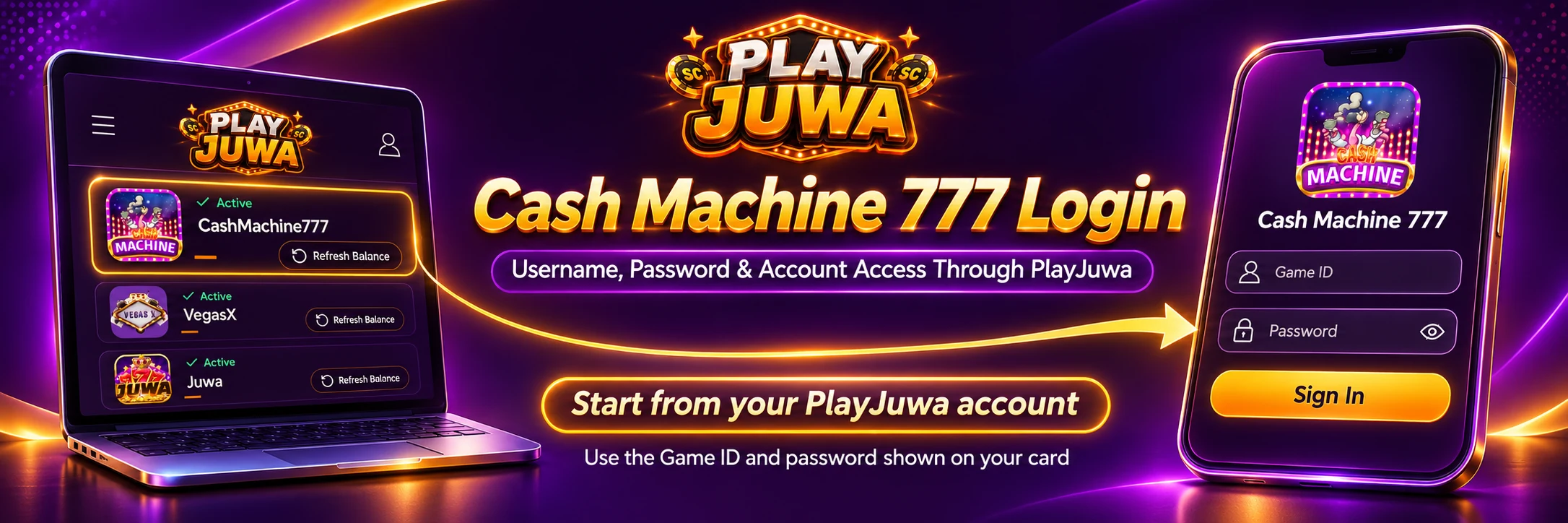
Search results for “Cash Machine 777 login” can surface player pages, management or backend pages, download pages and an unrelated Cash Machine slot product.
If you play through PlayJuwa, your Cash Machine 777 login details are shown on the CashMachine777 card in your PlayJuwa account. Select Play Now on that card and sign in with those details, not your PlayJuwa email and password.
Quick answer: Sign in to PlayJuwa, open the CashMachine777 card and copy the Game ID and password. Select Play Now, which currently opens cashmachine777.com. Select Website to use the browser version, enter your Game ID in the Username field and your password in the Password field, then select LOGIN. Because third-party platform destinations can change, use the current Play Now button rather than a saved URL.
PlayJuwa Login vs Cash Machine 777 Login
Your PlayJuwa login and Cash Machine 777 login are two separate sets of credentials.
| Login | What it opens | Details you use |
| PlayJuwa | Your PlayJuwa account, wallet and platform cards | Your email or phone number and PlayJuwa password |
| Cash Machine 777 | The Cash Machine 777 game | Game ID and password shown on the CashMachine777 card |
Signing in to one does not automatically sign you in to the other.
PlayJuwa's Platforms page explains that each connected game system has its own Game ID and password and that those credentials are separate from your PlayJuwa login.
PlayJuwa lists this platform as CashMachine777, written as one word. PlayJuwa provides access to it but does not claim to be the developer of the underlying third-party game system.
Where Do You Find Your Cash Machine 777 Username and Password?
Your credentials are on the CashMachine777 card inside your PlayJuwa account.
- Log in to PlayJuwa.
- Open Platforms.
- Search for CashMachine777.
- Open the platform card.
- Find the Game ID and Password shown there.
- Use the available reveal or copy controls rather than retyping the details where possible.
At the time checked, the Cash Machine 777 sign-in screen labels the first field Username.
Enter the Game ID from your PlayJuwa CashMachine777 card into that Username field.
Do not use your PlayJuwa email address as the Cash Machine 777 username unless the screen specifically instructs you to do so.
How to Log In to Cash Machine 777 Through PlayJuwa
Step 1: Sign In to PlayJuwa
Open the official PlayJuwa login page and sign in to your account.
Step 2: Open the CashMachine777 Card
Go to PlayJuwa Platforms and find CashMachine777.
Step 3: Copy Your Game Credentials
Copy the Game ID and password displayed on that specific card.
Do not use credentials from Juwa, Game Vault, Vegas X or another platform.
Step 4: Select Play Now
At the time checked, Play Now opened the Cash Machine 777 page at cashmachine777.com.
Platform destinations can change, so use Play Now from your current PlayJuwa account rather than relying on a bookmarked third-party URL.
Step 5: Choose Website
The current Cash Machine 777 landing page shows Website and Android options.
Select Website if you want to play through your browser.
Step 6: Enter the Game ID and Password
On the Cash Machine 777 sign-in screen:
- Enter the PlayJuwa card's Game ID in the Username field.
- Enter the CashMachine777 card's Password in the Password field.
- Select LOGIN.
Copying and pasting can reduce mistakes involving spaces, capitalization, or similar-looking characters such as O and 0.
Is cashmachine777.com the Correct Cash Machine 777 Login Website?
For the PlayJuwa route checked for this guide, cashmachine777.com is the page currently opened by Play Now.
Its Website option then leads to the browser sign-in screen.
That does not mean cashmachine777.com is a universal login for every account or provider using the Cash Machine 777 name.
If you use PlayJuwa:
PlayJuwa account → CashMachine777 card → Play Now → Website → login
is the route to follow.
Do not choose a similarly named website from search results and assume it accepts your PlayJuwa-issued credentials.
For broader platform information, see Cash Machine 777 on PlayJuwa.
What Does the Android Button Do?
The current Cash Machine 777 page opened through Play Now provides both Website and Android options.
The Android option downloads an Android application file rather than opening the browser version.
You do not need to install that file if you want to use the browser route. Select Website instead.
PlayJuwa itself is browser-based and does not publish a PlayJuwa Android app or Google Play listing.
If you want to understand why similarly named third-party apps and files should be treated carefully, see the Game Vault download guide. That guide explains the same principle: start from the current platform card rather than choosing a similarly named download from search results.
Is Cash Machine 777 Login the Same as Your PlayJuwa Login?
No.
Your PlayJuwa email or phone number and PlayJuwa password open your PlayJuwa account.
Your Cash Machine 777 Game ID and password open Cash Machine 777.
If your browser autofills your PlayJuwa password on the Cash Machine 777 login screen, clear it and paste the password from your CashMachine777 card instead.
Player Login vs Cash Machine Backend or Admin Login
Search results can surface management, agent-server or backend pages associated with businesses that manage game accounts.
Those are not the PlayJuwa player-login route.
As a PlayJuwa player, use the sign-in screen reached from:
CashMachine777 card → Play Now → Website
Do not enter your PlayJuwa password, Cash Machine Game ID or Cash Machine password into an unrelated backend or admin portal.
PlayJuwa's account-security guidance also recommends accessing the service through official website routes and avoiding suspicious or unverified links.
Cash Machine 777 vs the Everi Cash Machine Slot
There is an important name-confusion issue.
Cash Machine® is also the name of a separate three-reel slot product from Everi/IGT.
That game is not the same product as Cash Machine 777 accessed through PlayJuwa.
Everi's own product page identifies its Cash Machine game as a three-reel mechanical/video product using its Win What You See gameplay. See the Everi Cash Machine product page.
Search results and app stores may also contain other products using similar Cash Machine wording.
A matching name does not mean those products use your PlayJuwa Game ID or password.
Why Is My Cash Machine 777 Login Not Working?
Check That You Are Using CashMachine777 Credentials
Use the Game ID and password from the CashMachine777 card, not your PlayJuwa login details.
Make Sure You Opened the Correct Platform Card
A Game ID from another connected system will not automatically work with Cash Machine 777.
Copy the Credentials Again
Copy the Game ID and password directly from the card.
Remove Extra Spaces
A copied username or password can sometimes include a space before or after the actual credential.
Check Capitalization
Passwords may be case-sensitive.
Reopen Cash Machine 777 From Play Now
Do not rely on an old bookmark or a URL someone sent you.
Close the page and reopen Cash Machine 777 using the current Play Now button.
Close Duplicate Sessions
Close old Cash Machine 777 tabs or windows and reopen the game from PlayJuwa.
Check the Card Status
If the CashMachine777 card does not show Active, resolve the card or account status before treating the problem only as a password error.
If the status is unclear, contact PlayJuwa.
Contact PlayJuwa if the Login Still Fails
Use the PlayJuwa Help Center, Contact page, signed-in live chat, or email support@playjuwa.com.
Provide:
- The platform name
- Your device
- Your browser
- The exact error message
Do not send your password.
What If You Forgot Your Cash Machine 777 Password?
Open the CashMachine777 card in your PlayJuwa account.
At the time checked, the card displayed the current Game ID and password with controls to reveal or copy them.
The current Cash Machine 777 sign-in screen also showed a Forgot password? option.
For credentials issued through PlayJuwa, however, contact PlayJuwa support if the password displayed on your card does not work.
Do not use password-reset pages or people found through social media, search results or messaging apps unless the route can be independently verified.
PlayJuwa states in its Help Center that it does not ask users to provide passwords by email.
What If Your Cash Machine Username or Game ID Is Missing?
Try these checks:
- Confirm that you are signed in to the correct PlayJuwa account.
- Open Platforms and search for CashMachine777.
- Confirm the card status.
- Reload the page.
- Sign out and sign back in.
If the Game ID still does not appear, contact PlayJuwa support rather than obtaining a username from another website or person.
Do not buy, borrow or use publicly posted Cash Machine 777 credentials.
Can You Log In to Cash Machine 777 on Mobile?
Yes.
You can use your phone's browser:
- Sign in to PlayJuwa.
- Open the CashMachine777 card.
- Select Play Now.
- Select Website.
- Enter the Game ID and password from the card.
The browser route means you do not need the Android download if you prefer browser access.
Can You Log In to Cash Machine 777 on a Computer?
Yes, through the current browser route.
Open PlayJuwa in a supported browser, launch CashMachine777 from the platform card, select Website, and sign in with the Game ID and password shown in your account.
If a page does not load:
- Refresh it.
- Check your connection.
- Try another current browser.
- Reopen it from Play Now.
The PlayJuwa Help Center recommends starting with your account and platform card when a connected game lobby does not load.
How to Avoid the Wrong Cash Machine 777 Login Page
- Start from your signed-in PlayJuwa account rather than an ad or search result.
- Open Cash Machine 777 using Play Now on the CashMachine777 card.
- Do not assume words such as “official” or “777” in a domain prove who operates it.
- Never enter your PlayJuwa password into an unrelated Cash Machine page.
- Do not share your Game ID, password or one-time codes through social media.
- Do not pay someone for login credentials, account unlocks or password resets.
- Do not use shared or publicly posted usernames and passwords.
If you entered your Cash Machine 777 details on a suspicious page, contact PlayJuwa support.
If you also exposed your PlayJuwa password, change the PlayJuwa password and review the PlayJuwa security guidance.
Does a Working Cash Machine 777 Login Mean You're Eligible?
No.
A working game login does not override PlayJuwa's eligibility rules.
Under the current PlayJuwa Terms and Conditions:
- You must be at least 18 years old, or older where applicable law requires a higher minimum age.
- Availability depends on your location and other eligibility requirements.
- Some U.S. states are restricted.
- Users may not use VPNs, proxies or location-spoofing technology to bypass geographic restrictions.
- Participation is void where prohibited.
Check the current Terms rather than assuming that successful technical access establishes eligibility.
Frequently Asked Questions
How Do I Log In to Cash Machine 777 Through PlayJuwa?
Sign in to PlayJuwa, open the CashMachine777 card and copy the Game ID and password. Select Play Now, choose Website, enter your Game ID in the Username field and your password in the Password field, then select LOGIN.
Where Do I Find My Cash Machine 777 Username?
Your Cash Machine 777 username is shown as the Game ID on the CashMachine777 card in your PlayJuwa account. The current Cash Machine 777 login screen labels that field Username.
Is My PlayJuwa Password the Same as My Cash Machine Password?
No. Your PlayJuwa password opens your PlayJuwa account. The separate Cash Machine 777 password is shown on the CashMachine777 card.
Why Is My Cash Machine 777 Login Not Working?
Common causes include using PlayJuwa credentials instead of Cash Machine credentials, copying details from the wrong platform card, typing errors, an old route or duplicate sessions. Copy the current credentials again and reopen Cash Machine 777 through Play Now.
How Do I Reset My Cash Machine 777 Password?
At the time checked, your current Game ID and password were displayed on the CashMachine777 card. The Cash Machine 777 sign-in screen also showed a Forgot password? option. If the PlayJuwa-issued password on your card does not work, contact PlayJuwa support.
Is cashmachine777.com the Official Login?
It is the page currently opened by PlayJuwa's Play Now route for CashMachine777. Open it through your CashMachine777 card rather than relying on a search result or saved address. That does not mean it is a universal login for every Cash Machine 777 account.
Is the Cash Machine Backend Login for Players?
No. Backend, agent and management systems are not the player-login route used through PlayJuwa. Players should use the sign-in page opened from the Website option after launching CashMachine777 through Play Now.
Can I Log In to Cash Machine 777 on My Phone?
Yes. Open PlayJuwa in your phone's browser, launch CashMachine777 through Play Now, select Website and sign in with the Game ID and password shown on your card.
Is Cash Machine 777 the Same as the Everi Cash Machine Slot?
No. They are separate products that share similar naming. Everi's Cash Machine is a separate three-reel casino game and does not use your PlayJuwa CashMachine777 credentials.
Summary
Your Cash Machine 777 login is separate from your PlayJuwa login.
Start by signing in to PlayJuwa, open the CashMachine777 platform card and copy the Game ID and password shown there.
Select Play Now, choose Website, and enter:
- Game ID → Username
- CashMachine777 password → Password
Use the current Play Now route rather than a saved third-party URL.
If login details do not work, check the credentials and card status first, then use the PlayJuwa Help Center, Contact page, live chat or support@playjuwa.com.
For broader platform information, see Cash Machine 777 on PlayJuwa.
No purchase necessary. 18+ only. Void where prohibited. Gold Coins are for entertainment only and cannot be redeemed for prizes. Eligible Redeemable Sweepstakes Coins may qualify for prize redemption subject to current rules, verification and eligibility requirements. A purchase does not increase the chance of winning. Review the current Terms and Conditions and Responsible Gaming guidance.