

Guides
Egame99 Download: Android, iPhone and Browser Access
·
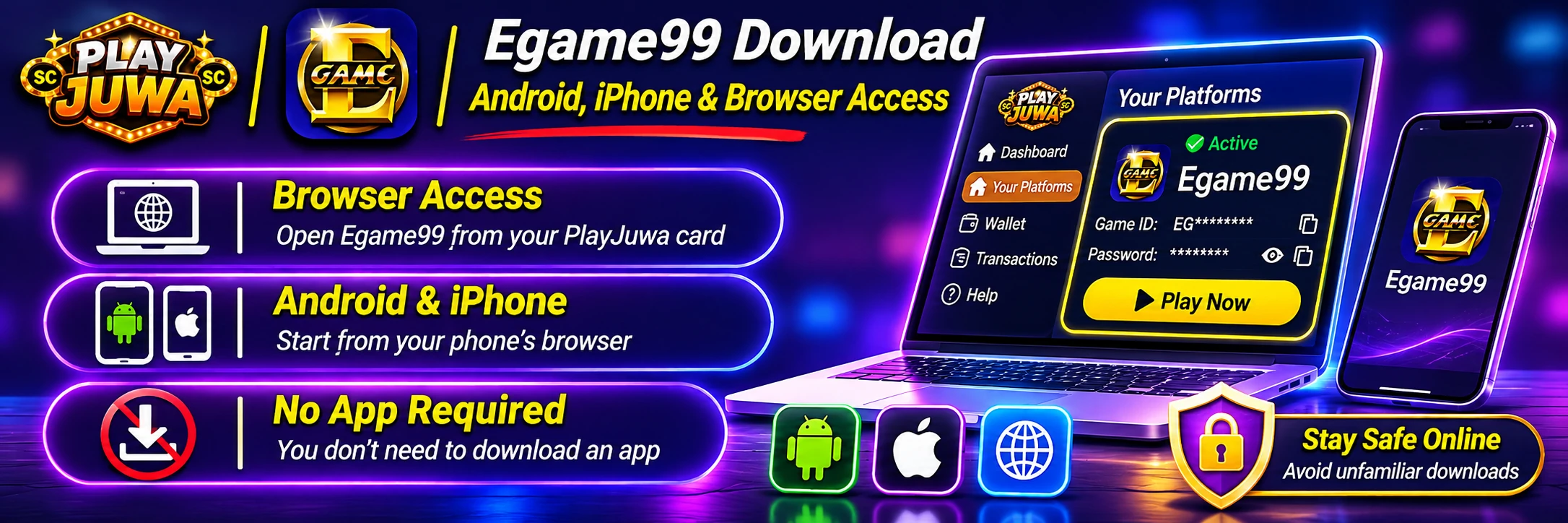
Searching for an Egame99 download can bring up APK websites, reviews, distributor pages, Egame99 Club download pages and gaming websites using similar names. These results don't necessarily provide access to your PlayJuwa-linked Egame99 account.
If you use Egame99 through PlayJuwa, the current Play Now route opens Egame99 as a web page. Start from your Egame99 platform card rather than downloading an unfamiliar app.
Quick answer: Play Now currently opens Egame99 at egame99.club. You don't need an app to open the web page. Successful access depends on your device, browser, connection and platform availability. Android APK and iPhone installation options haven't been confirmed for PlayJuwa users.
Do You Need to Download Egame99?
The current PlayJuwa access route starts in your browser.
You don't need to download an app to open the Egame99 web page. Successful access may depend on your device, browser, connection and platform availability.
If you want a quicker way to return to PlayJuwa, use your browser's Add to Home Screen option where available.
This creates a shortcut to the PlayJuwa website rather than installing a separate Egame99 app.
How to Open Egame99 Through PlayJuwa
- Open PlayJuwa in Chrome, Safari or another current browser.
- Sign in to your PlayJuwa account.
- Go to Your Platforms and search for Egame99.
- Open the Egame99 card and check its status.
- Select Play Now. The current destination is egame99.club, which opens in a separate browser tab.
- If the Egame99 sign-in screen loads, use the Game ID and password displayed on your platform card.
If nothing opens when you select Play Now, check whether your browser blocked the new tab.
For more information about platform credentials, readhow Game IDs and platform passwords work on PlayJuwa.
Egame99 on Android
The current Egame99 access route can be initiated from an Android browser.
Open PlayJuwa in Chrome or another current browser and locate the Egame99 platform card in your account.
If the Egame99 sign-in screen loads, use the Game ID and password displayed on your platform card.
Some websites advertise Egame99 APK downloads. Their compatibility with PlayJuwa-issued details hasn't been confirmed.
PlayJuwa doesn't publish an Android app or a Google Play listing, so avoid installing unfamiliar files.
What Is an Egame99 APK?
APK stands for Android Package Kit. It is a file format Android uses to distribute and install applications, including apps distributed outside Google Play.
APK files aren't compatible with iPhones.
Search results may contain filenames such as:
- Egame99 APK
- Egame99 Club app
- Egame99 latest version
- Egame99 Android download
A filename alone doesn't establish who created the file, whether it has been modified or whether it works with your PlayJuwa-issued credentials.
Before considering an unfamiliar download:
- Keep Google Play Protect enabled.
- Don't ignore device security warnings.
- Avoid modified or cracked application files.
- Don't install files from unfamiliar advertisements, mirror websites or forwarded links.
If you aren't sure whether a download is connected to your account, contact PlayJuwa support.
Egame99 on iPhone
The current Egame99 access route can also be started from Safari or another browser on your iPhone.
If the Egame99 sign-in screen loads, use the Game ID and password displayed on your platform card.
A separate Egame99 iPhone installation option hasn't been confirmed for PlayJuwa users, and PlayJuwa doesn't publish an Egame99 iPhone app.
For quicker access to the PlayJuwa website, Safari offers an Add to Home Screen option through its Share menu.
Be cautious if an unfamiliar website asks you to:
- Install a configuration profile.
- Trust an unknown application developer.
- Approve device-management permissions.
- Change your device's security settings.
Don't approve unfamiliar permissions simply to make a game work.
Can You Access Egame99 on a Computer?
The same browser access route can be initiated on a computer.
Open PlayJuwa in a current desktop browser, sign in, open the Egame99 card and select Play Now.
Successful access may depend on your browser, connection, device compatibility and platform availability.
Keep your browser updated and close unnecessary tabs if you're experiencing loading problems.
Is egame99.club the Egame99 Download Site?
egame99.club is the current destination opened by Play Now on the Egame99 card in PlayJuwa.
However, this doesn't establish that every page using the domain is intended for player access or that every download associated with it is published by PlayJuwa.
Access destinations can change, and search results may contain separate operator panels, download pages or other account-management interfaces.
Avoid relying on unfamiliar download links or old bookmarks.
Is Egame99 on Google Play or the App Store?
PlayJuwa doesn't publish an Egame99 app on Google Play or the Apple App Store.
Search results and app stores may contain applications using similar names, but a matching name doesn't establish that an application is connected to your PlayJuwa account.
Don't assume a similarly named app accepts the Game ID and password displayed on your Egame99 card.
Current Android APK and iPhone installation options for PlayJuwa users haven't been confirmed.
Egame99 Browser vs App Access Options
| Access method | What it is | What to know |
| Browser through PlayJuwa | Play Now on your Egame99 card opens the web page | No app download is needed to open the page |
| Home Screen shortcut | A shortcut to the PlayJuwa website | Not a separately downloaded Egame99 app |
| Android or iPhone app downloads | Downloads advertised by various Egame99-related websites | Not published by PlayJuwa; compatibility with your account isn't confirmed |
| Similarly named apps | Separate application listings using similar names | No connection to your PlayJuwa account has been established |
These options describe different access methods. They don't establish successful gameplay, device compatibility or the availability of a particular installation option.
Why Are There So Many Egame99 Download Pages?
Egame99-related searches can contain a mixture of player websites, distributor pages, application downloads and gaming websites using names such as:
- Egame99 Club
- Egames
- E Game
- Egame 777
- Egame 999
Similar branding doesn't prove that these websites use the same account system.
Some websites may describe separate agent-based account arrangements. Those instructions shouldn't automatically be applied to your PlayJuwa account.
Your PlayJuwa-linked Egame99 credentials are displayed on your platform card when access is active.
How to Identify the Correct Egame99 Access Route
Keep these points in mind:
- Account connection: A website using Egame99 branding isn't necessarily connected to your account.
- Download source: Avoid installing files from unfamiliar websites, advertisements or forwarded links.
- Unexpected requirements: Be cautious about requests to complete surveys, share passwords or pay someone for login details.
- Device security: Don't disable security protections to install an unfamiliar application.
- Account credentials: Keep your PlayJuwa password separate from your Egame99 platform password.
If you're unsure whether an access page or download is connected to your account, use thePlayJuwa Help Center or email support@playjuwa.com.
Egame99 Not Opening on Mobile?
A loading problem doesn't necessarily mean you need to download an app.
| Problem | What to check |
| The web page doesn't load | Your connection, browser and session |
| Play Now doesn't open a page | Whether your browser blocked a new tab |
| Loading screen gets stuck | Your connection, browser or possible service interruption |
| A page asks you to download an app | Confirm the access instructions with PlayJuwa support |
| An application won't install | File source, device compatibility and security warnings |
| The page looks cut off | Try rotating your device to landscape |
| The page works in one browser but not another | A browser-specific issue may be involved |
If the problem continues, contact PlayJuwa support with the exact error message and your device and browser details.
Never disable security protections to force an application to install.
How Do You Update Egame99?
Browser-based access doesn't normally require manually updating an installed app.
If Egame99 shows an update requirement, contact PlayJuwa support before downloading unfamiliar files.
Don't assume a website advertising the latest Egame99 APK provides an appropriate file for your account.
A higher version number on another website doesn't establish compatibility with PlayJuwa-issued credentials.
Which Login Credentials Does Egame99 Use?
PlayJuwa and Egame99 have separate account credentials.
| Account | Credentials |
| PlayJuwa | Your PlayJuwa account login details |
| Egame99 | Game ID and password displayed on your Egame99 platform card |
If the Egame99 sign-in screen appears, use the platform-specific details rather than your main PlayJuwa password.
Never share your passwords or one-time verification codes.
Does Opening Egame99 Mean You're Eligible?
No.
Opening an Egame99 web page on Android, iPhone or desktop doesn't change PlayJuwa's eligibility requirements.
You must be at least 18 years old, or meet any higher minimum age required by applicable law, and be in an eligible location.
VPNs, proxies and location-spoofing tools must not be used to bypass geographic restrictions.
See the currentPlayJuwa Terms and Conditions.
Frequently Asked Questions
How Do I Open Egame99 Through PlayJuwa?
The Play Now button on your Egame99 platform card currently opens egame99.club in a separate browser tab. Successful access depends on platform availability and device compatibility.
Is There an Egame99 APK for Android?
Some websites advertise Egame99 APK downloads, but their compatibility with PlayJuwa-issued credentials hasn't been confirmed. PlayJuwa doesn't publish an Android app.
Can I Use Egame99 on iPhone?
The current Egame99 access route can be initiated from Safari or another browser. Successful sign-in and gameplay depend on device compatibility and platform availability.
Can I Access Egame99 in a Browser?
Play Now currently opens Egame99 as a web page. Successful access may depend on your device, browser, connection and platform availability.
Do I Need to Download Egame99?
You don't need to download an application to open the Egame99 web page through PlayJuwa.
Is egame99.club the Correct Egame99 Website?
It is the current destination opened by Play Now on the Egame99 platform card. This doesn't establish that every page on the domain is intended for player access.
Is Egame99 on Google Play?
PlayJuwa doesn't publish an Egame99 Google Play listing. Compatibility with similarly named applications hasn't been confirmed.
Is Egame99 in the Apple App Store?
PlayJuwa doesn't publish an Egame99 iPhone app. A separate iPhone installation option hasn't been confirmed for PlayJuwa users.
Why Won't an Egame99 App Install?
Installation problems may involve file compatibility, device settings or security restrictions. You don't need an app to open the Egame99 web page through PlayJuwa. Never disable security protections to install an unfamiliar file.
Where Do I Find My Egame99 Username and Password?
Your Egame99 account identifier and password are displayed as Game ID and Password on your Egame99 platform card when access is active.
Summary
PlayJuwa's current Egame99 access route opens a web page.
Successful access depends on platform availability, browser performance, your connection and device compatibility. Android APK and iPhone installation options haven't been confirmed for PlayJuwa users, so avoid unfamiliar downloads.
For platform information, seeEgame99 on PlayJuwa. For access or account-security assistance, contact thePlayJuwa Help Center.
No purchase necessary. 18+ only, or older where required by law. Void where prohibited. Play for entertainment and within your limits. Terms and Conditions apply.