

Guides
Fire Kirin 2.0 Download: Android APK, iPhone & Web Access
·
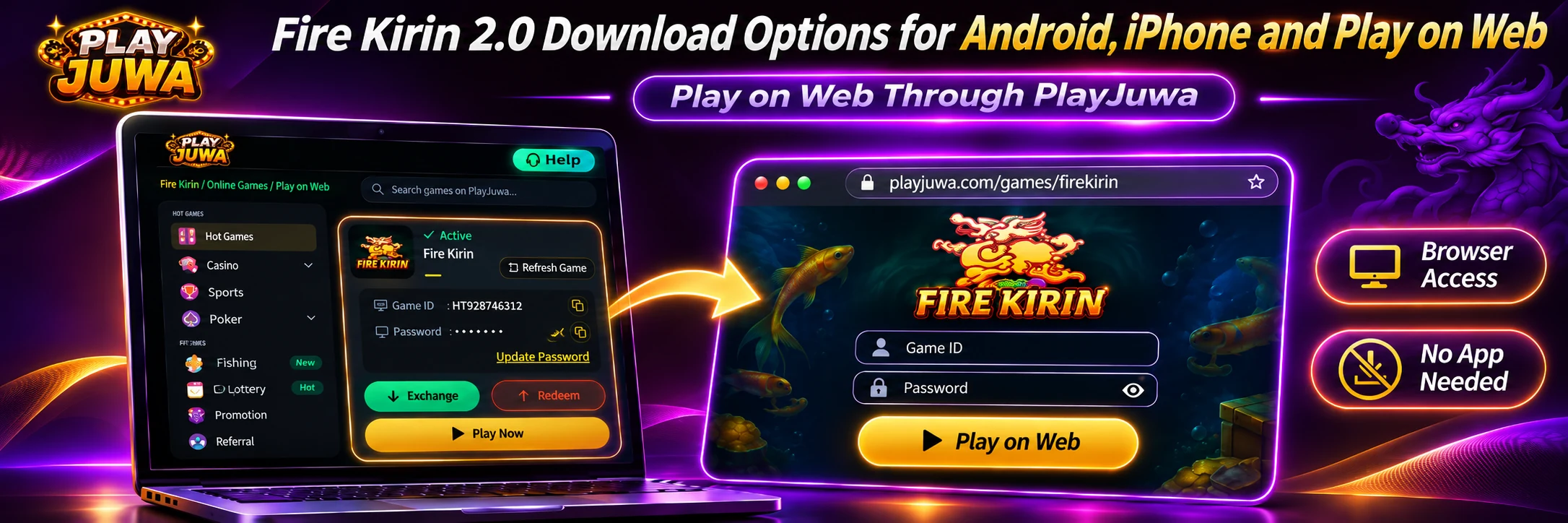
Searches for a Fire Kirin 2.0 download lead to APK sites, look-alike apps and pages that use “2.0” in different ways. PlayJuwa doesn’t list a separate Fire Kirin 2.0. It lists one game system, Firekirin, and you open it from the Firekirin card in your account.
The Fire Kirin page that opens currently offers Android and iPhone app options plus Play on Web, so you may not need a download at all.
Quick answer: There’s no separate Fire Kirin 2.0 on PlayJuwa. Sign in, open the Firekirin card, copy your Game ID and password, and select Play Now. On the Fire Kirin page, choose the Android or iPhone option to install the app, or Play on Web to play in your browser with no download. Don’t install a “Fire Kirin 2.0 APK” from a search result.
What Is Fire Kirin 2.0?
“Fire Kirin 2.0” is a common search and download phrase, not a product name PlayJuwa uses.
Around the web, “2.0” can appear in several different ways:
- As a version number: APK sites sometimes list a Fire Kirin-named app as version 2.0.
- As a separate brand: You may see unrelated products or sites called “Fire Kirin II.”
- As a marketing label: Some download pages use “2.0” to suggest a newer build without explaining what changed.
None of these mean PlayJuwa offers a separate Fire Kirin 2.0 system, or that a file using the name is connected to your PlayJuwa account.
Is Fire Kirin 2.0 Different From Fire Kirin?
Not on PlayJuwa.
PlayJuwa’s platform list shows Firekirin, with no separate 2.0 version.
PlayJuwa does list Juwa and Juwa 2.0 as separate systems, but there is no equivalent Fire Kirin 2.0 card.
The current Fire Kirin route opened through PlayJuwa also does not use “2.0” in the platform name.
Use the address opened through Play Now rather than relying on a 2.0- or 777-branded web address found elsewhere.
If another page claims Fire Kirin 2.0 has new games, better graphics or better odds, treat that as that site’s claim rather than something PlayJuwa offers.
How to Get Fire Kirin Through PlayJuwa
- Sign in to PlayJuwa.
- Open Platforms and type “kirin” in the search box.
- Open the Firekirin card.
- Copy the Game ID and Password shown on the card.
- Select Play Now. Fire Kirin currently opens in a new tab on a firekirin.xyz web address.
- Choose how you want to access Fire Kirin:
- Android: use the Android option.
- iPhone: use the iPhone option.
- Play on Web: play in your browser without installing anything.
- Sign in using the Game ID and password from your card.
Options on the Fire Kirin page can change. Use only the options shown on the page opened by your PlayJuwa card.
How to Download Fire Kirin on Android
Start from PlayJuwa rather than searching the web for a Fire Kirin APK.
Step 1: Open Fire Kirin From Your Card
Open the Firekirin card and select Play Now.
Step 2: Choose Android
Select the Android option shown on the Fire Kirin page.
Step 3: Check the Download Source
If a file downloads, confirm that the download started from the page opened by your Firekirin card rather than from a pop-up, advertisement or unrelated site.
Step 4: Review Android’s Security Prompt
Android may ask you to allow your browser to install apps from that source.
Allow the permission only when you are intentionally installing the file you just opened through the PlayJuwa Fire Kirin route.
Step 5: Review Warnings and Permissions
Read any warning Android displays before continuing.
Also review any device permissions requested during installation.
Step 6: Install and Sign In
After installation, open Fire Kirin and sign in using the Game ID and password shown on your PlayJuwa Firekirin card.
Step 7: Restore the Install Permission
After installation, you can turn your browser’s permission to install apps from external sources back off.
Keep Google Play Protect enabled.
If Android displays a warning about the file, stop and contact PlayJuwa support rather than turning security protection off.
What Is a Fire Kirin APK?
APK stands for Android Package Kit.
It is the file format Android uses for apps installed outside Google Play.
APKs are Android-specific, so there is no such thing as a Fire Kirin APK for iPhone.
Many websites advertise files using names such as:
- Fire Kirin 2.0 APK
- Fire Kirin 777 APK
- Fire Kirin latest APK
These files can have different version numbers, developers and package names.
A filename alone does not tell you who created the file or whether it works with the Fire Kirin details issued through your PlayJuwa account.
Can You Download Fire Kirin on iPhone?
The current Fire Kirin page opened from your PlayJuwa card includes an iPhone option.
Open Fire Kirin through Play Now, choose the iPhone option on your device, and follow the instructions shown there.
Be cautious if your iPhone asks you to:
- install a configuration profile
- trust a developer
- allow device-management permissions
Do not approve something you do not recognize simply to get the game working.
If you are unsure, contact PlayJuwa support first or use Play on Web instead.
Can You Play Fire Kirin Without Downloading It?
Yes.
The current Fire Kirin page opened from your card includes Play on Web, which lets you use Fire Kirin in a browser without installing an app or APK.
For full browser-access steps, see the guide to play Fire Kirin online without downloading.
Is Fire Kirin 2.0 on Google Play?
PlayJuwa does not currently link to a Fire Kirin app on Google Play.
Searching Google Play for Fire Kirin can show separate listings that use similar names.
| What you’ll find | What it is |
| “Fire Kirin Online casino” | A separate Google Play listing published by HASSAH. PlayJuwa does not link to it. |
| “Fire Kirin Slots And Fishing” | A separate Google Play listing published by Firekirin VIP. PlayJuwa does not link to it. |
Do not assume similarly named Google Play apps work with the Game ID and password issued through your PlayJuwa Firekirin card.
Is Fire Kirin in the Apple App Store?
PlayJuwa does not currently link to a Fire Kirin app in the Apple App Store.
A similar name, casino/fish theme or the word Kirin in an App Store title does not establish that the listing is connected to the Fire Kirin credentials issued through PlayJuwa.
Use the iPhone option or Play on Web from the Fire Kirin page opened by your PlayJuwa card.
Is a Fire Kirin 2.0 APK From Another Website Safe?
Do not assume so.
An APK listing on another website alone does not prove that a file is:
- authentic
- unchanged
- compatible with your PlayJuwa-issued Fire Kirin credentials
Avoid files described as:
- unlocked
- modded
- free-credit versions
Start from Play Now on your PlayJuwa Firekirin card instead.
How to Check You Have the Right Fire Kirin Download
Use these checks before installing anything.
Start From the Firekirin Card
You should have opened Fire Kirin through Play Now inside your PlayJuwa account.
Use an Option Shown on That Page
Choose Android, iPhone or Play on Web from the Fire Kirin page itself rather than from a search result.
Check Where the File Came From
If you choose Android, the download should start from the route opened through your card.
Avoid Extra Requirements
Be cautious if a page asks you to:
- install another unrelated app
- complete a survey
- pay before receiving the download
Use the Correct Credentials
Use the Game ID and password shown on your Firekirin card.
Do not use your PlayJuwa password as your Fire Kirin password.
If something does not match, stop and contact PlayJuwa through live chat, email support@playjuwa.com, or use the PlayJuwa Help Center.
Fire Kirin Download Not Working?
The Android Option Does Nothing
Return to PlayJuwa and select Play Now on the Firekirin card again.
Check your internet connection and make sure your browser is allowed to download files.
The APK Won’t Install
Make sure:
- the download completed
- your phone has enough free storage
- you are reading the exact Android error message
Do not disable security settings simply to bypass a warning.
The iPhone Option Won’t Open
Open Fire Kirin again through Play Now and follow the instructions shown on the current page.
Use the browser requested by the page if one is specified.
The App Won’t Work but Play on Web Does
Use Play on Web while you contact PlayJuwa support about the app-access problem.
How Do You Update Fire Kirin?
Open Fire Kirin through Play Now on your PlayJuwa card and use the current access option shown there.
If you use Play on Web, there is no separate app to update.
Do not install a file from another website simply because it displays a higher version number or calls itself the “latest” Fire Kirin release.
Where Do You Find Your Fire Kirin Login Details?
Your Fire Kirin Game ID and password are shown on the Firekirin card in your PlayJuwa account.
Your PlayJuwa email address and password are separate and will not work as your Fire Kirin credentials.
For account-access help, see the Fire Kirin login guide.
Does Downloading Fire Kirin Mean You’re Eligible?
No.
Installing Fire Kirin or opening Play on Web does not change PlayJuwa’s eligibility requirements.
You must be at least 18, or older where applicable law requires a higher minimum age, and you must be in an eligible location.
You also cannot use a VPN, proxy or location-spoofing method to bypass geographic restrictions.
See the current PlayJuwa Terms and Conditions.
Frequently Asked Questions About Fire Kirin 2.0
What Is Fire Kirin 2.0?
It is a common search phrase.
Some sites use 2.0 as a version number, brand label or marketing term, but PlayJuwa lists the game only as Firekirin and does not show a separate Fire Kirin 2.0 platform.
Is Fire Kirin 2.0 Different From Fire Kirin?
Not on PlayJuwa.
There is one Firekirin card, and Play Now opens the current Fire Kirin access page.
How Do I Download Fire Kirin on Android?
Open your Firekirin card on PlayJuwa, select Play Now, and choose the Android option.
Install only the file reached through the page opened by your card.
Is There a Fire Kirin 2.0 APK?
Many websites advertise files using that name, but PlayJuwa does not offer a separate Fire Kirin 2.0 platform or 2.0-specific APK.
Use the Android option shown on the Fire Kirin page opened through your card.
Can I Download Fire Kirin on iPhone?
Yes.
Choose the iPhone option on the Fire Kirin page opened through your PlayJuwa card and follow the current instructions shown there.
If you prefer not to install anything, use Play on Web.
Can I Play Fire Kirin Without an App?
Yes.
Choose Play on Web on the Fire Kirin page to use it in your browser.
Is Fire Kirin on Google Play?
PlayJuwa does not link to a Fire Kirin app on Google Play.
Similarly named apps there are separate listings, so do not assume they work with your PlayJuwa-issued Fire Kirin credentials.
Is Fire Kirin in the Apple App Store?
PlayJuwa does not currently link to one.
Use the iPhone option or Play on Web from the Fire Kirin page opened through your Firekirin card.
Is a Fire Kirin 2.0 APK From Another Site Safe?
Do not assume so.
Start from Play Now on your Firekirin card rather than downloading a similarly named APK from a search result.
Where Do I Find My Fire Kirin Login Details?
Your Game ID and password are shown on the Firekirin card inside your PlayJuwa account.
See the Fire Kirin login guide for sign-in troubleshooting.
Summary
There is no separate Fire Kirin 2.0 system listed on PlayJuwa.
Open the Firekirin card, copy your Game ID and password, and select Play Now.
From the Fire Kirin page, choose:
- Android to use the Android app option
- iPhone to use the iPhone option
- Play on Web to access Fire Kirin without downloading an app
Avoid assuming that “Fire Kirin 2.0” APKs, look-alike apps or similarly named listings found through search are connected to your PlayJuwa Fire Kirin credentials.
For more information, see What Is Fire Kirin?, Fire Kirin on PlayJuwa, the Fire Kirin Play Online guide, or the Fire Kirin free play guide.
No purchase necessary. 18+ only. Void where prohibited. Play for entertainment and within your limits. Terms and Conditions apply.