

Guides
How Game IDs and Platform Passwords Work on PlayJuwa
·
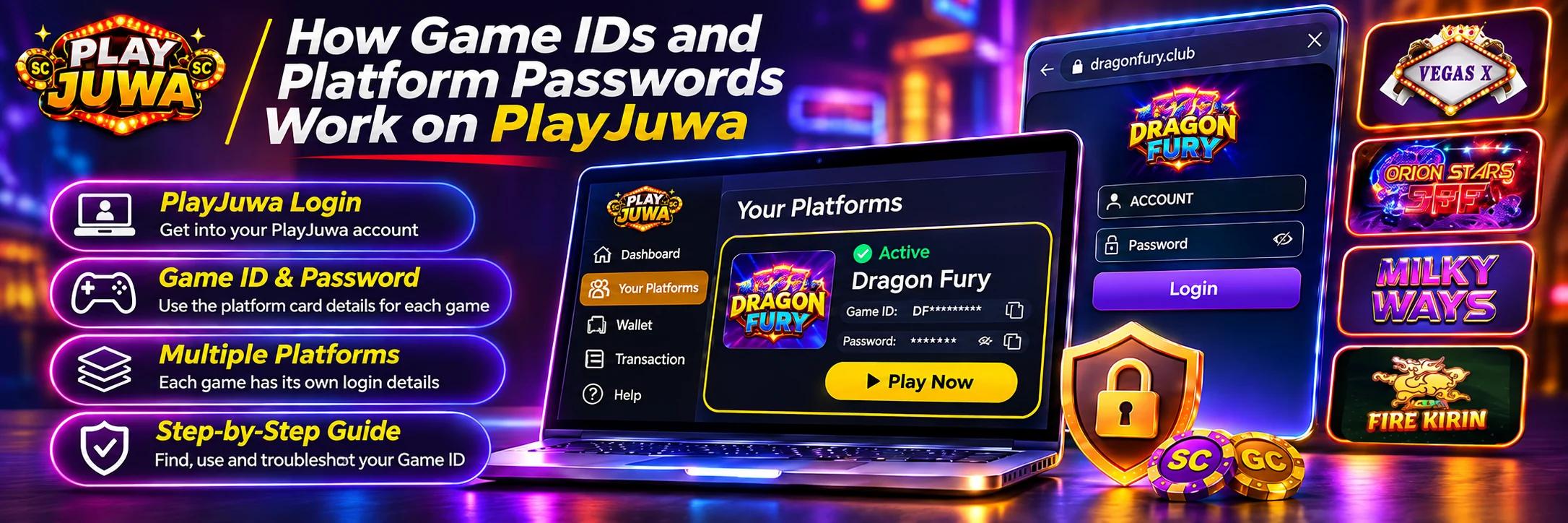
You signed in to PlayJuwa, opened a game, and it asked for another ID and password. Or you entered your PlayJuwa email on a game screen and it didn’t work.
That’s because one PlayJuwa account can give you access to several game systems, and each platform can have its own login details.
This guide explains what a Game ID is, where to find it, why it’s different from your PlayJuwa login, and what to check when it doesn’t work.
Quick answer: A Game ID is the account identifier for one game system, shown on that system’s card in your PlayJuwa account. Your PlayJuwa email or phone number and password get you into PlayJuwa. The Game ID and password on a platform card get you into that game. The game’s sign-in screen may call the field Account, Username, Game ID or something similar, so enter the Game ID from the card for the game you’re opening.
One PlayJuwa Account, Several Platform Logins
PlayJuwa gives you one main account.
Inside it, each game system has its own platform card, and that card can have its own credentials.
The basic flow is:
PlayJuwa account → Your Platforms → platform card → Game ID and password → Play Now → game access
Your PlayJuwa account and the individual game systems are separate login layers.
PlayJuwa provides access to those game systems through your account; your PlayJuwa credentials are not automatically the credentials used inside each game.
PlayJuwa Login vs Platform Login
| Login | What it opens | Details you use |
| PlayJuwa | Your PlayJuwa account, wallet and platform cards | Your email or phone number and PlayJuwa password |
| Game platform | One game system, such as Juwa or Orion Stars | The Game ID and password shown on that platform’s card |
Signing in to PlayJuwa does not automatically sign you in to each game.
A platform’s Game ID and password also do not replace your PlayJuwa account credentials.
What Is a Game ID?
A Game ID is the identifier for your account inside one game system.
PlayJuwa shows it on that system’s platform card under Game ID.
The game’s own login screen may use another label for the same identifier. Common examples include:
- Account
- Username
- Game ID
- ACCOUNT
The label depends on the game.
Whatever the field is called, use the Game ID shown on the card for the platform you are opening.
Where PlayJuwa has a platform-specific login guide, that guide shows which field currently takes the Game ID.
Is a Game ID the Same as Your PlayJuwa Username?
No.
Your PlayJuwa login identifies your main PlayJuwa account.
A Game ID identifies your account inside one specific game system.
Do not enter your PlayJuwa email address, phone number or PlayJuwa password on a game login screen unless the current interface specifically asks for those details.
For normal platform access, use the credentials shown on that platform’s PlayJuwa card.
Why Does Each Platform Have Its Own Login Details?
Each platform can have its own:
- Game ID
- password
- access route
- password controls
- card status
That’s why one PlayJuwa account can show different login details for different platforms.
Where Do You Find Your Game ID on PlayJuwa?
- Sign in to PlayJuwa.
- Go to Your Platforms.
- Search for the game by name.
- Open the game’s platform card.
- Check the card status.
- Find the Game ID and Password.
- Use the available copy or reveal controls to read the credentials.
- Select Play Now.
- Enter the credentials on the game’s current login screen or access route.
Platform cards follow the same basic structure, but their controls can differ from game to game.
Why Does a Platform Card Have Its Own Password?
The password displayed on a platform card belongs to that game account.
It is not your PlayJuwa password.
For example:
- PlayJuwa password → opens your PlayJuwa account
- Milkyway password → used with your Milkyway Game ID
- Dragon Fury password → used with your Dragon Fury Game ID
- Firekirin password → used with your Firekirin Game ID
Do not assume one platform password works on another platform.
Can the Same Game ID Work on Multiple Platforms?
Do not assume so.
Treat each Game ID and password as belonging to the platform card where it appears.
Two clear examples are:
- Juwa and Juwa 2.0 are separate cards on PlayJuwa. Use the credentials from the card you are opening.
- Vblink and Dragon Fury are separate cards with separate credentials, even though the names are often linked online. SeeVBlink vs Dragon Fury.
Platform Login Examples
These are examples of how current platform login fields and password controls differ.
| Platform | Where the Game ID goes | Password option on PlayJuwa card |
| Orion Stars | Account | Reset password? |
| Vegas X | Username | Reset password? |
| Fire Kirin | ACCOUNT | Update password? |
| Milky Way | Account | Update password? |
| Cash Machine 777 | Username | No reset link shown on the card; contact PlayJuwa support if the card password fails |
| Dragon Fury | ACCOUNT | Reset password? |
| RiverSweeps | Use the Game ID and password from the card; no PIN required for the PlayJuwa flow | See the RiverSweeps guide |
For detailed steps, use the platform-specific guides:
- Juwa login guide
- Orion Stars login
- Vegas X login
- Fire Kirin login
- Milky Way 777 login
- Cash Machine 777 login
- Dragon Fury login
- RiverSweeps account access
- Game Vault login
- Panda Master login
Why Is My Game ID Not Working?
Check these in order.
1. Wrong Platform
Make sure the credentials came from the card for the game you actually opened.
A Juwa Game ID should not be assumed to work on Orion Stars, Dragon Fury or another platform.
2. PlayJuwa Details Used Instead
Make sure you did not enter your PlayJuwa:
- email address
- phone number
- password
into the game’s platform-login fields.
3. Wrong Field
Enter the Game ID in the identifier field.
Depending on the game, that field may be labelled:
- Account
- Username
- Game ID
- ACCOUNT
Enter the platform password in the password field.
4. Extra Spaces
After pasting, check that there isn’t an accidental space before or after the Game ID or password.
5. Password Capitalization
Enter the password exactly as shown on the platform card.
6. Old Bookmark
Open the game through Play Now on its card.
Game destinations can change, so an old bookmark may lead to an outdated or different route.
7. Wrong Version
Platforms with similar names can still be separate systems.
For example, Juwa and Juwa 2.0 have separate cards.
Use the credentials from the exact card you are opening.
8. Card Status
Check the status displayed on the platform card.
If it shows Pending or another status instead of Active, investigate the card or account status before treating the issue as a password problem.
If the credentials still do not work, contact PlayJuwa through live chat, email support@playjuwa.com, or use thePlayJuwa Help Center.
Include the platform name and exact error message.
Never send your password.
What If You Forgot a Platform Password?
Open the platform card first.
The current password is displayed there, and cards with an eye icon allow you to reveal it.
There is not one universal password-reset process for every platform.
Depending on the card, you may see:
- Reset password?
- Update password?
- no password-management link
Use the option shown on that specific platform card or follow its PlayJuwa login guide.
If there is no reset option or the credentials still fail, contact PlayJuwa support.
Do not ask unknown agents, social-media accounts or outside websites to reset a platform password for you.
What If Your Game ID Is Missing?
Try these steps:
- make sure you are signed in to the correct PlayJuwa account
- search for the game in Your Platforms
- open the correct platform card
- check the card status
- reload the page
- sign out and sign back in if needed
If the Game ID still does not appear, contact PlayJuwa support and explain exactly what the card shows.
Do not create a replacement game account on another website or use someone else’s credentials.
What Does Play Now Do?
Play Now opens the current route from your PlayJuwa account into that game system.
The exact result can differ by platform.
It may open:
- a game login screen
- an intermediate access page
- browser-play options
- Android or iPhone access options
- an app-download route
- a game lobby
Not every Play Now button behaves identically.
That is why platform-specific PlayJuwa guides explain what to expect for individual games.
Why Start From PlayJuwa Instead of a Search Result?
Search results for game logins can mix:
- player login screens
- outdated addresses
- distributor pages
- admin or backend panels
- app-download pages
- unrelated apps using similar names
A page using the correct game name does not prove it is connected to your PlayJuwa account.
For PlayJuwa access, the safer sequence is:
PlayJuwa → platform card → Play Now
Different websites can also use different terminology.
For example, some RiverSweeps pages mention a PIN, but the PlayJuwa RiverSweeps flow uses the Game ID and password shown on the RiverSweeps card.
Follow your PlayJuwa card and the relevant PlayJuwa guide rather than assuming another provider’s tutorial applies.
Game ID vs Backend or Agent Login
A player Game ID is not an:
- agent login
- distributor login
- backend login
- admin login
As a PlayJuwa player, you do not need an operator or backend panel to open your game.
If a page unexpectedly asks you to use one, return to PlayJuwa and contact support if necessary.
How to Keep Your Game IDs and Passwords Safe
- Keep platform passwords private.
- Use the copy controls on your PlayJuwa card where available.
- Open the game through Play Now before entering credentials.
- Never send credentials to unknown agents.
- Never post login details in public comments or social-media messages.
- Blur or hide Game IDs and passwords in screenshots.
- Avoid saving credentials on shared devices.
- Do not pay someone for login details, account “unlocks” or password resets.
Frequently Asked Questions About PlayJuwa Game IDs
What Is a Game ID on PlayJuwa?
A Game ID is the account identifier for one game system, shown on that game’s platform card in your PlayJuwa account.
Is My Game ID My PlayJuwa Username?
No.
Your PlayJuwa login opens your main PlayJuwa account. A Game ID identifies your account inside one game platform.
Is My PlayJuwa Password the Same as My Game Password?
No.
Each platform card can show its own game password. Your PlayJuwa password is separate.
Where Do I Find My Game ID?
Sign in to PlayJuwa, go to Your Platforms, search for the game and open its card.
The Game ID appears on that platform card when access is available.
Why Does a Game Ask for a Username or Account When PlayJuwa Shows a Game ID?
Game sign-in screens use their own field labels.
Enter the Game ID from the platform card in that identifier field.
Where a platform has a PlayJuwa login guide, it shows the exact field.
Can One Game ID Work on Every Platform?
Do not assume so.
Use the Game ID and password shown on the card for the specific platform you are opening.
Why Isn’t My Game ID Working?
Check the platform, identifier field, accidental spaces, password capitalization, card status and whether you opened the game through Play Now.
What If My Game ID Is Missing?
Check the platform card and its status, reload PlayJuwa and sign in again.
If the Game ID still does not appear, contact PlayJuwa support.
Can I Use an Old Bookmarked Login Page?
It is better to open the game through Play Now on the current platform card because game destinations can change.
Should I Share My Game ID?
No.
Treat your Game ID and platform password as private account credentials.
Summary
Your PlayJuwa login gets you into PlayJuwa.
The Game ID and password on a platform card get you into that specific game system.
The basic process is:
- Sign in to PlayJuwa.
- Open the correct platform card.
- Copy the Game ID and password.
- Select Play Now.
- Enter the credentials on the game’s current login screen or access route.
Do not use your PlayJuwa login details on a game screen unless the current interface specifically asks for them, and do not assume one Game ID works across multiple platforms.
For additional help, use the relevant platform login guide or thePlayJuwa Help Center.
No purchase necessary. 18+ only. Void where prohibited. Play for entertainment and within your limits.Terms and Conditions apply.