

Informational / Troubleshooting
Game Platform Not Working? PlayJuwa Login and Access Troubleshooting Guide
·
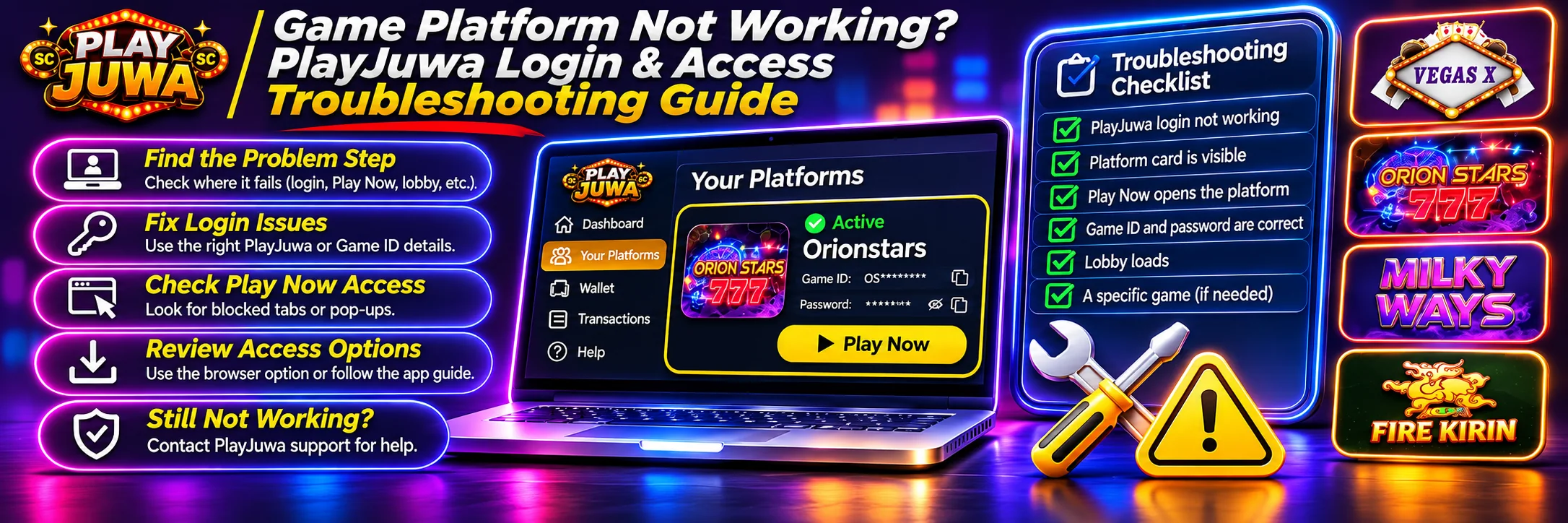
Play Now does nothing, a Game ID gets rejected, or a game gets stuck loading. Before resetting a password or installing anything, work out where the problem starts. Changing several things at once can make it harder to identify the cause.
Getting into a game through PlayJuwa can involve several steps:
PlayJuwa sign-in → platform card → Play Now → game sign-in → game lobby → individual game
Quick answer: First identify where the problem starts: signing in to PlayJuwa, finding the platform card, opening Play Now, signing in to the game, loading the lobby or opening an individual game. Troubleshoot that step first. Always start from your PlayJuwa account rather than an old bookmark or an unfamiliar login page.
Step 1: Find Where the Problem Starts
| What you see | Where to start |
| PlayJuwa won't load | Connection, browser and session |
| You can't sign in to PlayJuwa | Your PlayJuwa login details |
| The platform card is missing | Your account and platform list |
| Play Now does nothing | Blocked tabs, browser and old sessions |
| Play Now opens a page with download buttons | The access options available for that platform |
| The game rejects your Game ID or password | The details on the platform card |
| An app or download won't open | Device and installation checks |
| The game loads, then freezes | Network, device and session |
| Only one game fails | The affected game |
| Every platform fails | Your PlayJuwa account, network and device |
Is It PlayJuwa, the Platform or One Game?
PlayJuwa and the game systems are separate, so problems tend to fall into different groups. These are possible signs, not confirmed causes.
- Likely PlayJuwa problem: PlayJuwa won't load, your PlayJuwa sign-in fails, a platform card is missing or Play Now doesn't respond.
- Likely platform problem: The game opens but rejects your Game ID or password, the lobby won't load, or the game freezes after opening.
- Likely single game problem: The lobby works and most games open, but one title won't.
Identifying the affected step helps you avoid resetting the wrong password or reinstalling something unnecessarily.
If PlayJuwa Won't Load
- Open another website to check your internet connection.
- Reload PlayJuwa.
- Close duplicate PlayJuwa tabs.
- If the website partly works, sign out and sign back in.
- Try another up-to-date browser.
- Try a private or incognito window to check whether browser settings or extensions may be interfering.
- Restart your device if the problem continues.
Don't clear all your browsing data immediately. If you need to clear site data, start with the affected website and remember that this may sign you out.
If You Can't Sign In to PlayJuwa
Your PlayJuwa login is separate from the credentials displayed on your platform cards.
Check that:
- You're using the email address or phone number associated with your PlayJuwa account.
- You're using your PlayJuwa password, not a platform password.
- There are no accidental spaces or capitalization errors.
- Your browser hasn't automatically entered an old saved password.
If you still can't sign in, contact PlayJuwa through available live chat, email support@playjuwa.com, or visit theHelp Center.
If the Platform Card Is Missing
- Make sure you're signed in to the correct PlayJuwa account.
- Go to Your Platforms and search for the game by name.
- Remember that some platform names are displayed differently, such as Orionstars or CashMachine777.
- Check both the ALL GAMES and MY GAMES views.
- Reload the page or sign out and sign back in.
If a card you expect still doesn't appear, contact PlayJuwa support.
Don't assume your account has been closed or the platform has been removed.
If Play Now Does Nothing
Play Now may open a separate browser tab or access page, depending on the platform. If nothing happens, check whether your browser blocked the new tab or pop-up.
- Select Play Now once and wait a moment.
- Look for a blocked pop-up notice in your browser's address bar.
- If you see one, review the pop-up permissions for PlayJuwa.
- Close any old tabs for that platform.
- Return to PlayJuwa and select Play Now again.
- If it still doesn't open, try another current browser.
Don't disable your browser's security protections to make the platform work.
If Play Now Opens a Page With Download Buttons
For some platforms, Play Now opens a page containing browser options, Android download buttons or app-store links instead of opening a sign-in screen directly.
This can be part of the platform's normal access process.
Check the access options available for that platform. If the page has a browser option, you can use it and sign in with your card's details.
Some platforms, such as Game Vault, currently offer a download rather than browser play.
If the game only offers a download, follow that platform's PlayJuwa guide before installing anything.
Avoid installing unfamiliar files from advertisements, pop-ups or unrelated search results.
If an Old Bookmark No Longer Works
Return to PlayJuwa and open the game using Play Now on its platform card.
Game addresses and access routes can change. An old bookmark or a link someone sent you may no longer apply to your account.
A website using the correct game name doesn't prove that it's connected to your PlayJuwa account.
If the Game Rejects Your Game ID or Password
First, check which credentials you're using.
| Login type | Credentials |
| PlayJuwa account | Your email address or phone number and PlayJuwa password |
| Game platform | The Game ID and password shown on that platform's card |
Then check the following:
- The credentials come from the card for the game you're opening.
- Use the available copy controls to reduce typing errors.
- Check that there are no accidental spaces before or after the Game ID or password.
- Enter the password exactly as displayed on the card.
- Enter the Game ID in the identifier field, which may be called Account, Username or something similar.
- Check that the card shows Active. If it shows Pending or another status instead, resolve the card or account status before troubleshooting the details further.
For a more detailed explanation, seehow Game IDs and platform passwords work on PlayJuwa.
Similar Names Don't Mean Shared Logins
Some platforms have similar or related names but are listed separately in PlayJuwa.
Examples include:
- Panda Master and Ultra Panda.
- Juwa and Juwa 2.0.
- Vblink and Dragon Fury.
Use the credentials from the platform card you're opening rather than assuming another platform's credentials will work.
If a Password Was Changed
Use the password currently displayed on your platform card.
Password-management options differ between platforms. Some cards display Reset password?, others display Update password?, and some don't display a password-management link.
If the available option doesn't resolve the problem, contact PlayJuwa support.
If the Game Opens but Keeps Loading
Try these checks in order:
- Allow the page a moment to finish loading.
- Check that your internet connection is stable.
- Close the game tab or app session and reopen the platform through its current PlayJuwa access route.
- Close unnecessary browser tabs and applications.
- Restart your device.
- Try another device or network connection if available, provided you remain in an eligible location.
One unsuccessful session doesn't establish that the platform is unavailable for everyone.
If the Game Freezes or Lags
Freezing or lag can involve your network, device, browser, application or an existing session.
Close the affected game, reopen it through the platform's current access route and check whether the problem continues.
These checks won't resolve every issue. If freezing or lag persists, contact PlayJuwa support with details about the affected platform and device.
If Only One Game Isn't Working
If the platform lobby opens but an individual game doesn't:
- Return to the lobby.
- Check whether another title loads.
- Note the name of the affected game.
- Retry the affected game once.
- Contact PlayJuwa support if the same issue continues.
If other titles work, the issue may be limited to that individual game rather than the entire platform.
If an App or Download Won't Open
Before reinstalling anything, check:
- Whether the download came from the access page opened through your PlayJuwa platform card.
- Whether the download completed.
- Whether your device has enough available storage.
- The exact error message displayed by your device.
Some platforms support browser access, so installing an application may not be necessary.
If Android Shows a Security Warning
Stop and check the source before continuing.
Keep Google Play Protect and other device security protections enabled.
Never install modified or cracked application files or files from unfamiliar download websites.
If you're unsure about a file or installation warning, don't proceed. Contact PlayJuwa support.
If iPhone Access Isn't Working
Platforms can use different iPhone access routes, including browser access or separate installation pages.
Return to the platform card, select Play Now and check the available access options.
Don't install unfamiliar configuration profiles, approve unknown device-management permissions or trust an unfamiliar developer simply to make a game work.
Browser Problem, App Problem or Login Problem?
| Problem type | Common signs |
| Browser | Blocked tab, blank page, repeated reloading or sign-in loop |
| App | Installation failure, application crash or outdated application |
| Login | Game ID or password rejected, or credentials missing |
| Game | An individual title freezes or fails to load |
These symptoms can overlap, so identify the affected step before changing passwords, browser settings or applications.
Is the Game Down?
One failed session doesn't confirm a platform-wide outage.
The problem may involve your network, browser, device, session, login details, access route or a temporary service interruption.
Outage-tracking websites can't confirm a game's status for your individual account.
If the basic checks don't solve it, contact PlayJuwa support to ask about the affected platform.
Should You Use a VPN?
No.
PlayJuwa'sTerms and Conditions prohibit using VPNs, proxies or location-spoofing technologies to bypass geographic restrictions.
Don't use these tools to overcome location-related access restrictions.
If you're experiencing an eligibility or location error, contact PlayJuwa support rather than attempting to bypass it.
Should You Clear Your Cache?
Try the lighter steps first:
- Reload the page.
- Sign out and sign back in.
- Open a private browser window.
- Restart your browser.
If the problem continues, consider clearing site data for the affected website, whether that's PlayJuwa or the game's page, rather than deleting all your browsing data.
This may sign you out.
Platform-Specific Troubleshooting Guides
This article covers common problems across different game platforms. For platform-specific access instructions, see:
- Juwa troubleshooting guide
- Fire Kirin login help
- Panda Master login help
- Game Vault login help
- Game Vault download and app access
- Milky Way 777 login help
- Dragon Fury login help
- Dragon Fury mobile access
- Orion Stars login help
- Vegas X login help
Follow the guide for the specific platform you're having trouble accessing.
What to Send PlayJuwa Support
If the troubleshooting steps don't resolve your problem, contact PlayJuwa through available live chat, email support@playjuwa.com, or theHelp Center.
Include the following information:
- The platform or game name.
- The step where the problem occurs.
- The exact error message.
- Your device and browser or application.
- Approximately when the problem started.
- Whether Play Now opened the platform.
- Whether other platforms or games work.
- A screenshot with your Game ID and sensitive account information hidden.
Never send your password, one-time verification codes or sensitive payment information.
Quick Troubleshooting Decision Flow
- Can you sign in to PlayJuwa? If not, check your PlayJuwa login details.
- Can you see the platform card? If not, search Your Platforms and check your account.
- Does Play Now open the platform? If not, check for blocked tabs and old sessions.
- Does the platform accept your credentials? If not, check the Game ID and password displayed on the card.
- Does the lobby load? If not, check your network, session and device.
- Does only one game fail? If so, the issue may be limited to that game. Note its name and contact PlayJuwa support if the problem continues. If the whole platform fails, contact support.
Frequently Asked Questions
Why Isn't Play Now Opening My Game?
Your browser may have blocked a new tab or pop-up. Check your browser permissions, close old game tabs and reopen the platform through Play Now.
Why Is My Game ID Not Working?
Make sure you're using the Game ID and password from the card for the platform you're opening, rather than your PlayJuwa account credentials.
Why Does My Game Keep Loading?
Check your internet connection, close the affected session and reopen the platform through its current PlayJuwa access route. Try another eligible device if available.
Why Does Only One Game Not Work?
If other games on the same platform work, the issue may be limited to that individual title. Note the game's name and contact PlayJuwa support if the problem continues.
Is the Game Down?
One unsuccessful session cannot confirm a platform-wide outage. Complete the basic troubleshooting checks and contact PlayJuwa support if the issue persists.
Should I Use Another Login Page From Google?
Don't assume an unfamiliar login page is connected to your account. Start from your PlayJuwa platform card and use Play Now.
Should I Reinstall the App?
Only consider reinstalling after identifying an application-related problem and reviewing the platform's current access instructions. Browser access may be available instead.
Why Won't an App File Install?
Check the file's source, whether the download completed, available device storage and the exact error message. Never disable security protections to bypass an installation warning.
Should I Use a VPN?
No. PlayJuwa's Terms prohibit using VPNs, proxies or location-spoofing technologies to bypass geographic restrictions.
What Should I Send PlayJuwa Support?
Provide the platform name, affected step, exact error message, device and browser or application details. Never send passwords or one-time verification codes.
Summary
When a game platform isn't working on PlayJuwa, identify the step where the problem begins before attempting a fix.
Check your PlayJuwa sign-in, platform card, Play Now access route, game credentials, lobby or individual game as appropriate.
Use the current access route from your PlayJuwa account and follow the relevant platform guide.
If the problem continues, visit thePlayJuwa Help Center or contact PlayJuwa support.
No purchase necessary. 18+ only. Void where prohibited. Play for entertainment and within your limits.Terms and Conditions apply.